Les meilleures applications d'édition photo sous Android

Inutile de le nier, les appareils photos de nos smartphones deviennent vraiment excellents mais pour bien des raisons il est parfois nécessaire d'effectuer quelques retouches. Vous vous demandez quelle application d'édition photo vous devriez utiliser ? Tout dépend de vos usages, nous vous expliquons tout dans cet article.
- Comment prendre les plus belles photos avec un smartphone ?
- Prise en main des objectifs d'appareils photos de Photojojo
Les fonctionnalités et les modes que l'on trouve sur nos appareils photo varient énormément mais parfois il arrive que même avec un excellent potentiel photo on ait envie de faire des retouches. La multitude d'applications alternatives disponibles sur le Google Play Store n'aide pas vraiment à trouver une perle rare dans ce domaine, donc nous allons tenter de vous aider en vous proposant notre propre sélection des meilleures applications d'édition de photos sous Android.
Les meilleures applications d'édition photo toutes catégories confondues
PicsArt
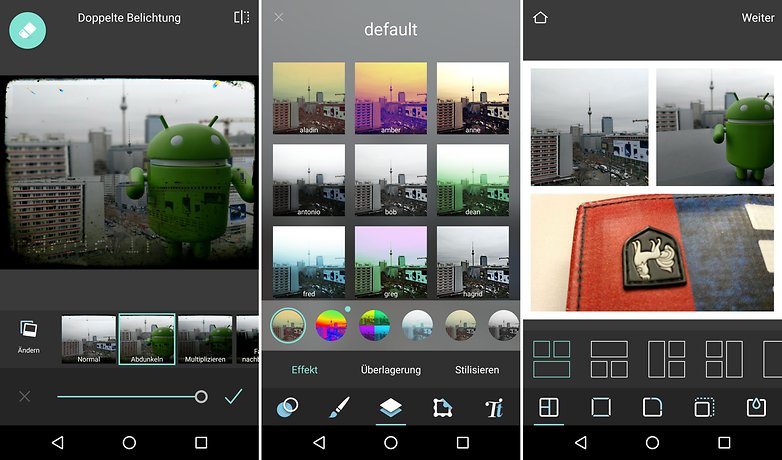
PicsArt propose un grand nombre de fonctionnalités, concrètement il y a à peu près tout ce que vous pourriez bien désirer. L'édition de photo est simple et intuitive, vous pouvez même y trouver divers outils afin de créer des photos / montages / collages pour les réseaux sociaux : stickers, zones de textes etc. Vous pouvez également créer des memes et des GIFs, chose non négligeable. Enfin, PicsArt propose une fonctionnalité de partage avec la communauté.
${app-com.picsart.studio}Pixlr
Les créateurs de Pixlr-O-Matic ont également créé Pixlr. Cette application est dédiée à l'édition de photos : elle vous permet de préparer des images puis de les partager sur les réseaux sociaux. Rassurez-vous, vous n'avez pas besoin d'être un professionnel pour obtenir de bons résultats : vous avez à votre disposition de nombreux effets et diverses options visuelles (par exemple la suppression des yeux rouges). Les fans de collages devraient également trouver leur bonheur dans l'application car ils peuvent combiner leurs photos dans une même image très facilement. Il est possible de créer des boutons pour les accès rapides, afin de gagner du temps à l'utilisation.
Snapseed
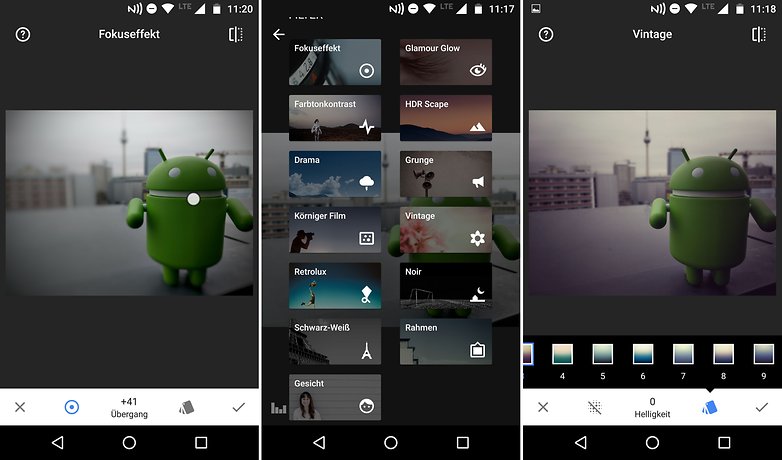
Snapseed est l'application d'édition photo de Google et elle fait tout ce que l'on peut en attendre : gratuite, remplie de filtres, riche en options d'optimisation. Retouches, applications de filtres, changement de couleurs... Tout est possible avec Snapseed.
L'application enregistre vos images dans un dossier séparé, ce qui vous permet d'éviter de modifier l'image originale. Une synchronisation est possible avec des applications telles que Dropbox et Google Photos.
Adobe : Photoshop Fix et Photoshop Express
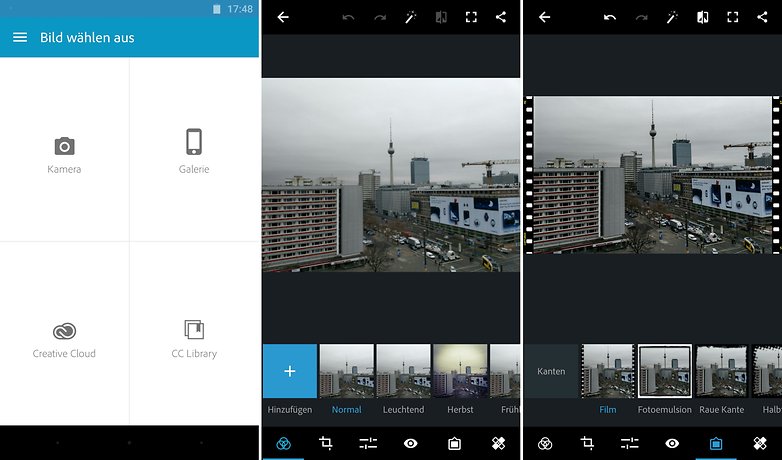
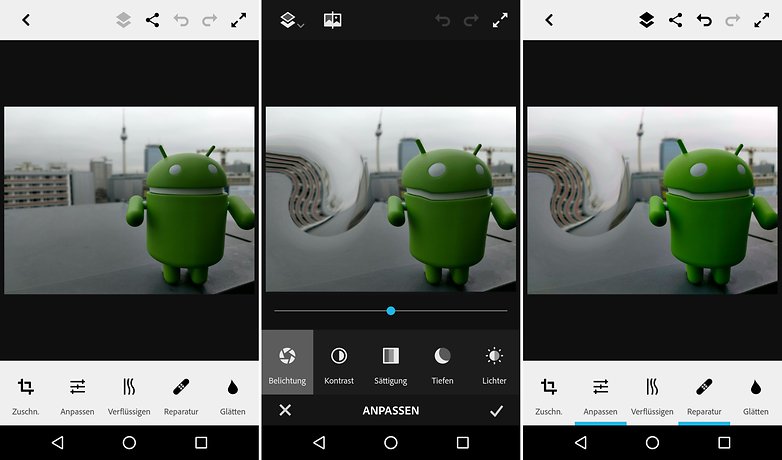
Pour beaucoup de gens, Photoshop est une référence en matière d'édition photo. Après que la première version tactile de Photoshop ait disparu du Play Store, Adobe a décidé de prendre les devants. Deux applications permettent d'obtenir de bons résultats : Photoshop Express et Photoshop Fix. Photoshop Fix est spécialisé dans les photos, vous pouvez utiliser les éléments de Photoshop pour obtenir de très bons résultats. Photoshop Express, quant à lui, dispose de davantage de fonctions et peut gérer le format RAW.
Aviary, autre application d'Adobe, est également une application intéressante car elle fournit de nombreux effets et vous permet de créer facilement un meme avec une photo de vous.
Vignette
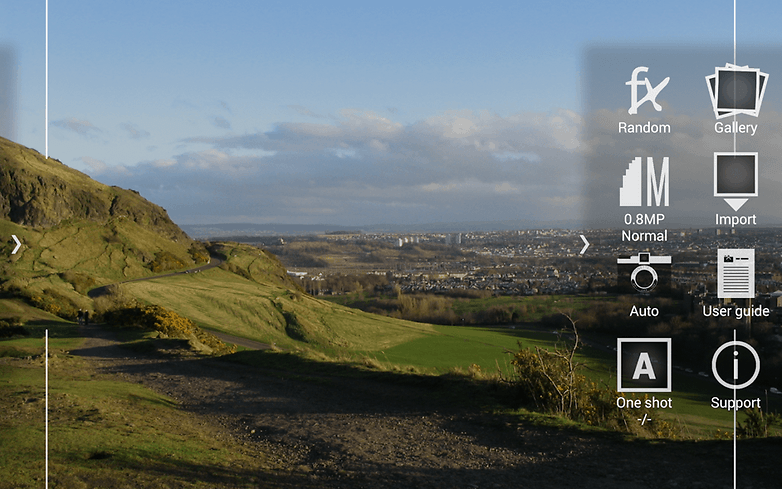
Vignette n'est pas une application d'édition photo à proprement parler mais plutôt une application d'appareil photo hybride, avec notamment un zoom numérique. L'intérêt de l'application se trouve sur les effets vintage et les styles, vous pouvez donner à vos images l'impression d'être prises avec un Lomo, Diano, Holga ou encore un Polaroid. Il y a également un mode de double exposition et un mode photomaton.
La meilleure application d'édition photo pour le cloud
Google Photos
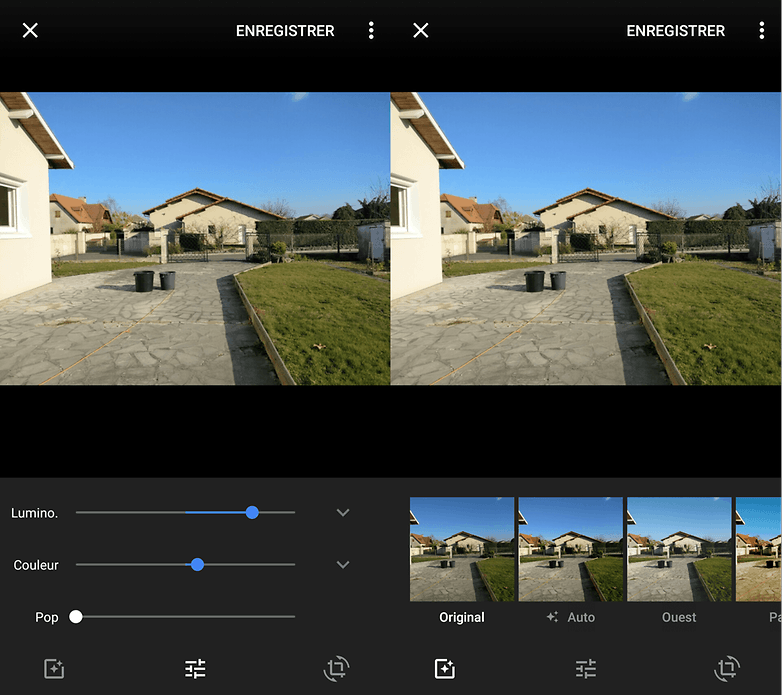
Google Photo est une solution tout-en-un : vous pouvez l'utiliser pour enregistrer vos images sur le cloud afin de gagner de la mémoire interne, et bien évidemment vous pouvez l'utiliser pour modifier vos images. Pour ce faire, plusieurs filtres sont à votre disposition. Contraste, saturation et d'autres paramètres encore peuvent être ajustés facilement. L'un des inconvénients, c'est que lorsque vous enregistrez votre nouvelle image elle efface l'image originale.
De manière générale, les fonctions de tri de Google Photos sont plutôt convaincantes. L'application filtre les photos en fonction des gens, des endroits... Ainsi, vous pouvez trouver rapidement des photos de voyage sans avoir à chercher dans toute la galerie. De plus, l'espace de stockage sur le Google Cloud est illimité.
Les meilleures applications d'édition pour les fans de selfie
Candy Camera
Candy Camera utilise de nombreux filtres et même des stickers pour décorer vos photos. Entre autres choses, il est possible d'améliorer l'apparence de la peau directement depuis l'image. En plus des filtres classiques, d'autres filtres de selfies viennent s'ajouter à la collection. Les effets sont bons, même les images prises dans le bureau ou sous un ciel très nuageux semblent avoir été prises sous un grand soleil. Cette application mérite un coup d'oeil, cela ne fait aucun doute.
- Version de l'app : 3.16
- Taille de l'app : 11,1 Mo
- Compatibilité de l'app : Android 4.0.3 ou plus
- Modèle économique : entièrement gratuit
Facetune
Facetune est une application d'édition d'image qui vous permet de rendre vos selfies et autres images plus jolies. Vous avez des rides ou des cernes ? Aucun problème, l'application vous offre de nombreuses possibilités pour les éliminer. Même un sourire pas vraiment parfait (avec une dent jaune, par exemple), peut être retouché. Si vous voulez changer l'apparence des gens qui sont sur les photos, vous pouvez également changer la couleur des yeux, ajuster les joues et la machoire... Facetune propose également de nombreux filtres afin d'améliorer vos photos avec des effets.
- Version de l'app : 1.1.0
- Taille de l'app : 44,9 Mo
- Compatibilité de l'app : Android 4.1 ou plus
- Modèle économique : 3,99 euros
Cymera
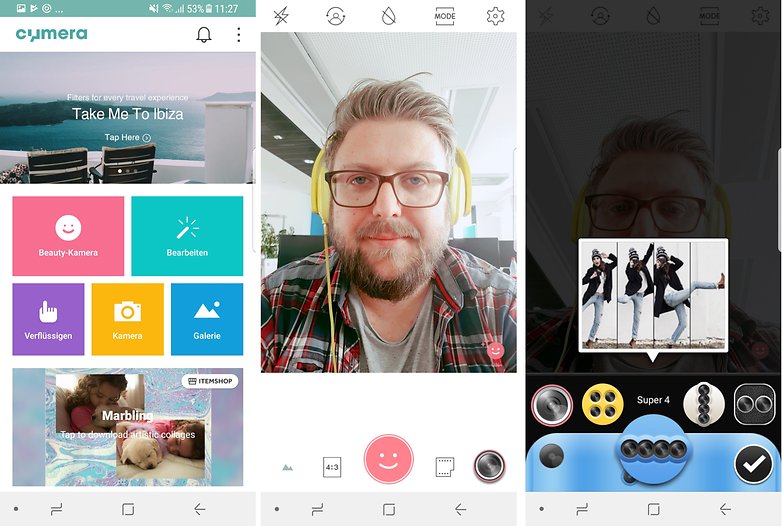
Même si Cymera est destiné à tout type de photos, son domaine de prédilection est sans doute le portrait. Grâce à cette application, vous pourrez profiter de l'émulation de 7 types d'objectifs et 7 modes capture bien distincts. Parmi eux sont proposés 20 filtres, incluant de nombreux effets de décoration et de maquillage pour les portraits sont disponibles. Les images peuvent être partagées sur Facebook, Twitter, Tumblr et d'autres encore, directement depuis l'application. Cymera est une application gratuite mais une petite bannière de pub est affichée en bas de l'écran.
- Version de l'app : 3.1.3
- Taille de l'app : 31,5 Mo
- Compatibilité de l'app : Android 3.0 ou plus
- Modèle économique : gratuit avec achats dans l'application
Bonus
Photolab Pro
Photolab Pro propose de nombreuses fonctions mais, dans le cadre de cet article, il se distingue beaucoup grâce à ses filtres. Sur certains points l'application rappelle quelque peu Prisma, mais Photolab Pro va bien plus loin car vous pouvez créer des montages qui donnent à vos images une nouvelle apparence. L'application est facile à utiliser, vous pouvez très rapidement obtenir des résultats. La version gratuite est plus lente que la version payante, de plus elle place un logo et affiche des publicités.
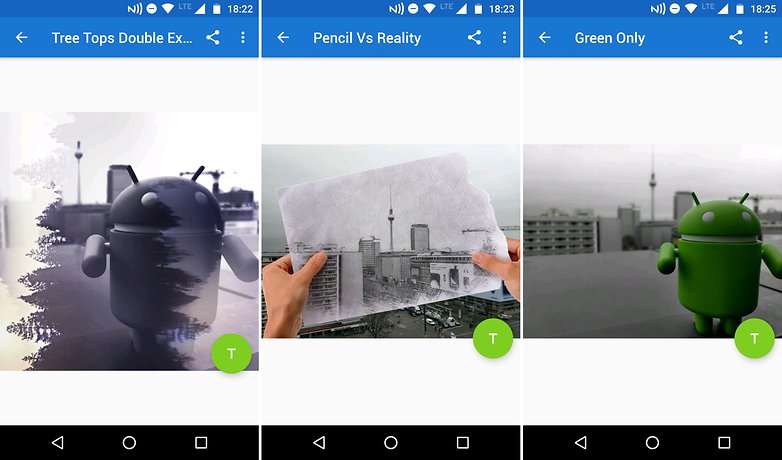
- Version de l'app : 2.1.13.450
- Taille de l'app : 32,9 Mo
- Compatibilité de l'app : Android 4.0.3 ou plus
- Modèle économique : 2,99 dollars
Utilisez-vous d'autres applications d'édition photo ? Si oui, lesquelles ?




-
Admin
10 déc. 2018 Lien du commentaireFaudrait revoir cette sélection, elle n'est plus d'actualité.
Je n'ai jamais vraiment testé d'applications dédiée au traitement de photos, me contentant jusqu'alors du traitement Instagram ou du traitement interne à l'application photo du téléphone.
Plein de choses à tester en somme. ☺️
Personnellement j'utilise Picsart qui me semble très complet. Et aussi Retouch.
Perso Meitu c'est chinois mais traduit maintenant des filtres des retouches etc
Pourrait-il aussi traduire ton commentaire ?
-
Admin
13 oct. 2017 Lien du commentaireGoogle Photos n'est pas une application pour éditer ses photos, Snapseed oui.
Yes, je suis d'accord.
Même si Google propose quelques éléments de modifications, sa fonction première n'est pas le traitement de photos.
Débutante je n'ai pas trop bien compris le rôle de router
Merci
Je vous conseille de lire nos articles suivants sur le root :
- https://www.androidpit.fr/pourquoi-rooter-android
- https://www.androidpit.fr/tutoriel-enlever-root-android
Mon téléphone tellement perfectionné que je ne touche à rien.
Dans ce cas tu as aussi le droit de ne rien dire.
-
Admin
4 janv. 2017 Lien du commentaireSi je veux écrire sur mes photos
Google photos ---> Snapseed ----> Au top 🏅
Cool tous ces outils. mais qui a envie de passer plus de 5 min pour retoucher une photo sur son smartphone ?
Avant je pensais comme vous. Mais je fais aussi de la retouche sur PC. Et ça prend parfois beaucoup de temps pour obtenir un résultat acceptable.
Maintenant, je fais au plus vite pour instagram, flickr, facebook, twitter qui proposent des outils intégrés (pas tous) pour corriger les couleurs ou croper. sinon voir des outils légers : photo editor ou celui d'Android gallery.
Perso je tourne toujours a Photoshop Touch, dont le developpement c'est arrété malheureusement, mais fonctionne toujours bien et offre des possibilité folle, proche de photoshop cc. (Sur Remix OS 3 ou CM13 il marche encore)
Je fonctionne avec Photo Editor, gratuit, avec lequel je redresse, recadre, corrige la lumière... et si besoin, ensuite, photoDirector (que j'ai payé pour une meilleure qualité d'enregistrement et pour faire des corrections : pouvoir effacer un petit élément gênant)
Perso toolwizz est génial à mon goût. Et je vous conseille ERASER pour les découpages.
nice,
J'avoue que cet article me laisse une impression mitigée. Je souhaite installer une bonne appli et je pensais que je trouverais ici le moyen à coup sûr de bien choisir du premier coup.
Là où je suis déçu, c'est par les vidéos qui ne sont pas très éclairantes comparativement à leurs fonctions de base contrairement aux effets qui sont bien (trop ?) mis en valeur, cela correspond au goût de certains sans doute, mais avant de passer à la cerise sur le gâteau, j'aurais voulu connaître la saveur de celui-ci.
L'auteur n'a pas voulu être trop directif et je peux le comprendre mais les vidéos ajoutées troublent encore plus par le flou qu'elles m'inspirent. Dommage.
J'en reviendrai probablement au choix n°1.
Moi j'ai acheté Atypic en version premium. C'est vraiment très original, et je m'amuse comme une petit fou avec :)
Très bien