Les meilleures applications pour personnaliser votre smartphone Android
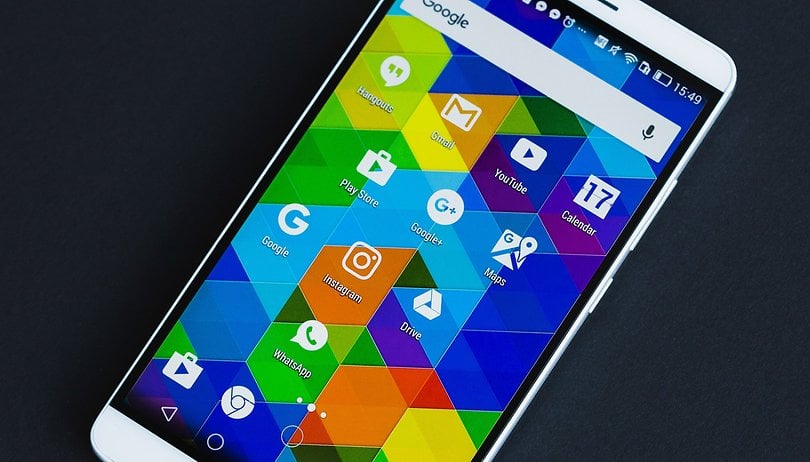

Votre smartphone Android a beau avoir été construit à des milliers (voire millions) d'exemplaires, rien ne vous empêche de le customiser pour le rendre unique en son genre, et surtout au plus près de vos habitudes. Nous vous montrons quelques astuces faciles à mettre en place grâce aux meilleures applications pour personnaliser votre smartphone Android.
Ci-dessous vous trouverez quelques liens utiles vers des guides, des astuces, et tout ce que Android a à offrir dans le domaine de la personnalisation. Certaines procédures peuvent nécessiter des permissions root, ou une procédure plus complexe dédié aux plus expérimentés, mais ne vous inquiétez pas, suivez nos conseils et vous découvrirez un tout nouvel appareil Android.
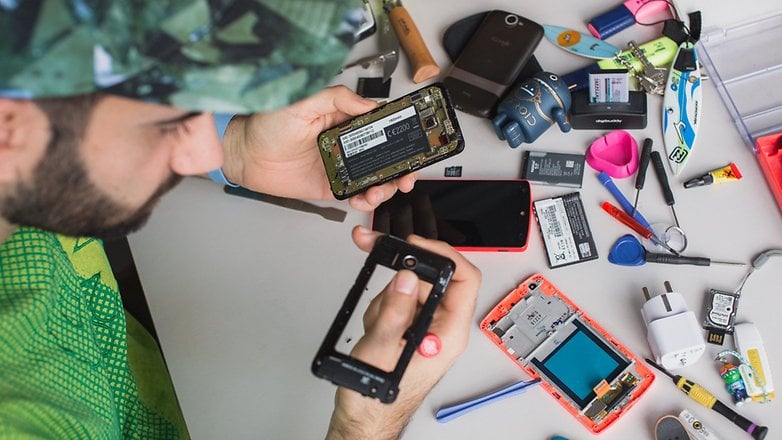
Améliorez le look
Installez un launcher
C'est la façon la plus évidente de personnaliser votre Android. Installer un launcher constitue la première étape que l'on peut vous conseiller. Qu'est-ce qu'un launcher, me direz-vous ? C'est tout simplement l'interface qui lance vos applications. Si vous changez de launcher, vous aurez un nouvel écran d'accueil, vos widgets et un tiroir d'applications revu. Mais surtout, les launchers proposent souvent de multiples options en tout genre qui permettent souvent de vous simplifier la vie. Si on aime son style, Smart Launcher 3 est l'une des meilleures applications de personnalisation sur Android.
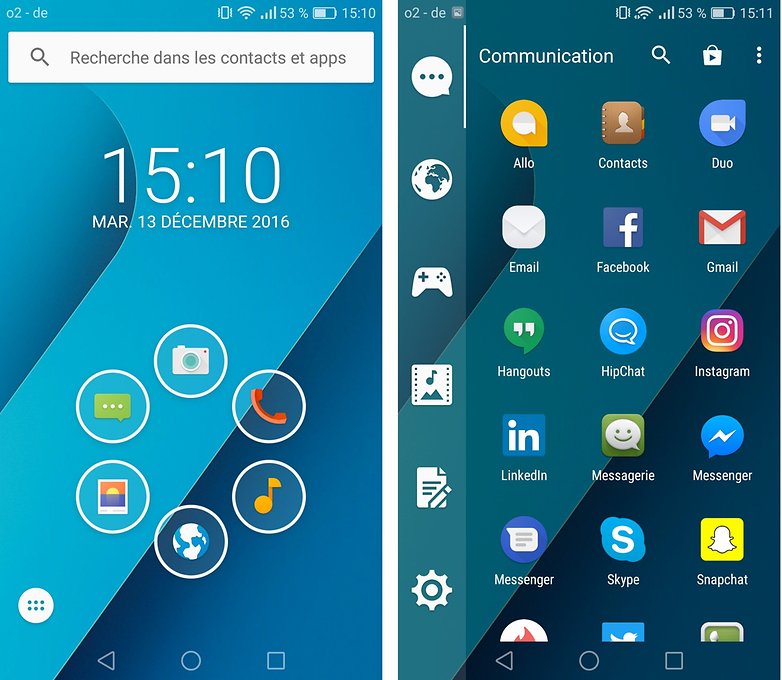
- Version de l'app : 3.23.20
- Taille de l'app : 5,12 Mo
- Compatibilité de l'app : Android 2.3 ou plus
- Modèle économique : gratuit avec achats dans l'application
Si vous hésitez entre les multiples launchers proposés sur le Google Play Store, on peut vous proposer Nova Launcher, étant l'un des plus flexibles dans le domaine. Découvrez-en bien d'autres dans notre sélection des meilleurs launchers pour Android !
Changez vos icônes !
Vous trouvez vos icônes d'application ennuyeuses et ordinaires ? Et bien changez-les ! Cela n'est pas bien compliqué, il vous faudra juste au préalable avoir installé un launcher parmi la sélection ci-dessus. Ensuite, installez un pack d'icônes depuis le Google Play Store, comme une application lambda. Il y en a des tas, nous vous en avons d'ailleurs sélectionnés nos préférés dans notre article : les meilleurs packs d'icônes pour Android.
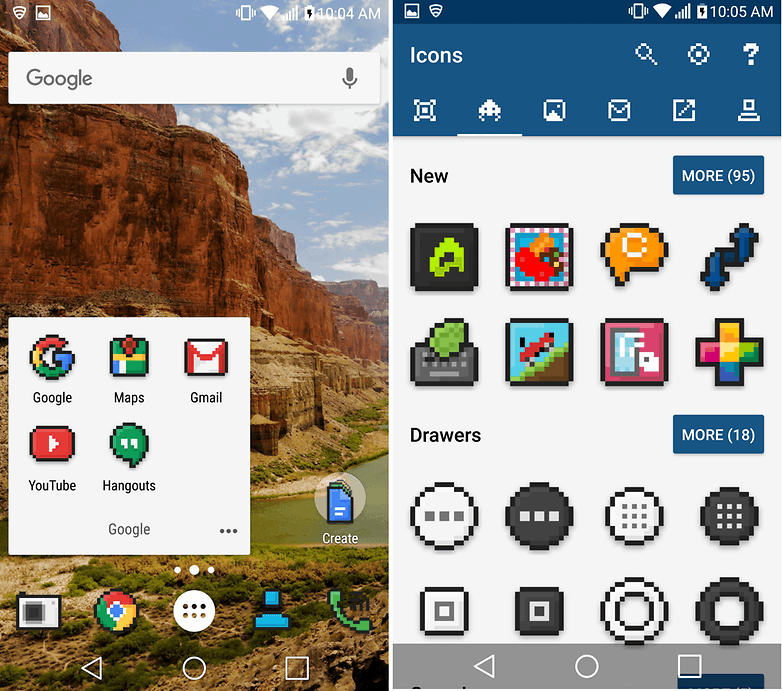
- Launchers compatibles : Apex, Nova, ADW, Holo, Action, Aviate...
- Version de l'app : 1.6.1
- Taille de l'app : 5,60 Mo
- Compatibilité de l'app : Android 4.1 ou plus
- Prix : gratuit
Une fois votre pack d'icône installé, celui-ci vous indique généralement la marche à suivre pour remplacer vos icônes habituelles par ces nouvelles. Le plus souvent, cela se fait en quelques étapes faciles à faire, pour ensuite profiter d'un smartphone parfaitement adapté à nos goûts.
- Découvrez notre sélection des meilleurs smartphones à moins de 100 euros, 150 euros, 200 euros, 300 euros, 400 euros, 500 euros ou 600 euros
Améliorez vos notifications
Que diriez-vous de changer la couleurs de LED des notifications ? Dans notre article Comment changer la couleur des notifications LED sur Android, nous vous dévoilons une application unique, et franchement indispensable une fois que vous l'avez testée.
Utilisez des raccourcis
La plupart des constructeurs, pour ne pas dire tous, permettent d'ajouter des widgets à votre écran de verrouillage : idéal pour aller plus vite là où vous souhaitez aller ! Dans notre article comment personnaliser l'écran de verrouillage, nous vous proposons quelques astuces en fonction de votre marque pour customisez selon vos envies votre écran.
Ajoutez des widgets sur votre écran de verrouillage
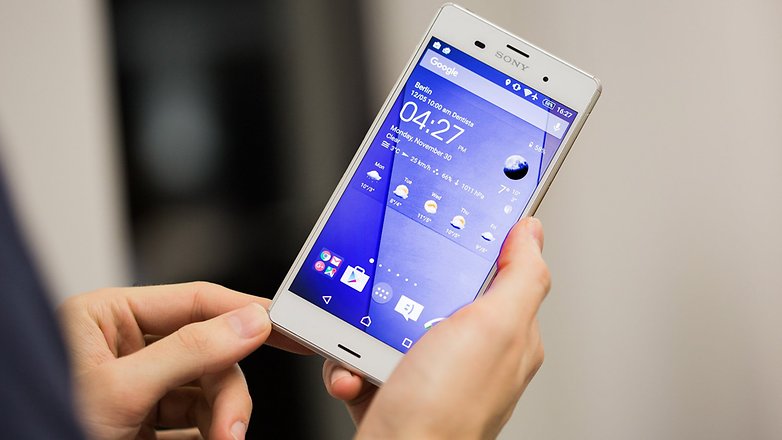
Selon une étude très fiable, vous déverrouillez ensuite en moyenne 14785 fois votre smartphone par jour pour consulter vos widgets : agenda, Whatsapp, météo... Pourquoi pas installer toutes ces applications directement sur votre lockscreen ? C'est assez facile, pratique, et vous fera en plus gagner en énergie. Sébastien a d'ailleurs fait une sélection des meilleurs widgets, à découvrir d'urgence !
Créez votre propre thème
Nous allons ici encore plus loin, nous ne sommes plus dans les meilleures applications de personnalisation sur Android. Cette dimension un peu plus technique pourra plaire à certains : saviez-vous que vous pouviez créer votre propre thème sur Android ? Les bidouilleurs en tout genre seront ravis de découvrir le tutoriel, détaillant étape par étape comment créer votre propre thème Android ! Soyez créatifs et partagez vos thèmes avec nous !
Pour aller plus loin :
Xposed
Si vous souhaitez aller plus loin que simplement modifier l'apparence de votre téléphone, Xposed Framework vous permet de sélectionner (et de supprimer) toutes les fonctionnalités ou modules préinstallés sur votre téléphone que vous n'utilisez jamais.
Cette solution ne nécessite pas d'avoir rooté son smartphone mais vous devez vous assurer que vous disposez d'une sauvegarde récente de votre téléphone avant de commencer, car Xposed Framework vous avertit qu'il peut "briquer" votre smartphone.
Il existe différentes versions à installer, en fonction de la version d'Android que vous utilisez, alors assurez-vous d'avoir la bonne version. Beaucoup de téléphones Oreo ne sont pas pris en charge pour le moment non plus.
Autres solutions de personnalisation
Accessoires et gadgets : pour se distinguer de la masse
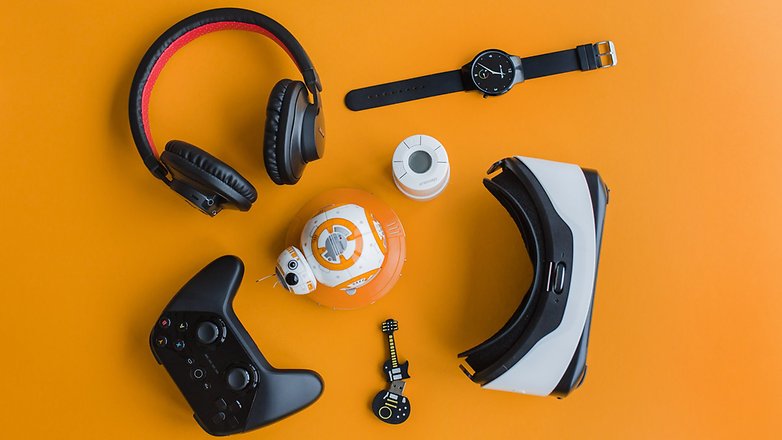
Personnaliser votre smartphone avec des accessoires est aussi un autre moyen de personnaliser son téléphone Android. Plutôt que de se concentrer uniquement sur le côté esthétique, nous allons vous montrer quelques accessoires qui optimisent l'expérience avec le dispositif lui-même, ce qui vous permettra également de garder la forme et de surveiller vos activités sportives. Ne manquez pas aussi quelques gadgets amusants compatibles avec Android qui pourraient être des cadeaux parfaits pour vous ou pour vos amis !
- Les accessoires indispensables et utiles pour votre smartphone Android
- Les meilleurs casques VR pour Android
- Les meilleurs écouteurs et casques Bluetooth pour votre smartphone
Ajoutez de nouvelles fonctions
La personnalisation sur Android passe aussi par l'ajout de nouvelles fonctionnalités utiles. Certaines sont offertes avec la dernière version du logiciel, Android Oreo, d'autres proviennent de Google, d'autres par les fabricants de marque qui les mettent en œuvre sur des dispositifs spécifiques, mais qui, grâce à quelques astuces, peuvent être exploitées sur tout appareil.
Certaines nouvelles fonctionnalités sont proposées par la dernière version du logiciel, Android Pie, d'autres proviennent de Google, d'autres des fabricants qui les implémentent sur certains appareils spécifiques mais qui, grâce à quelques astuces, peuvent être exploités sur n'importe quel appareil
- Comment tester et contrôler les performances de votre smartphone Android
- 8 astuces simples pour profiter pleinement de votre smartphone Android
- Comment activer les options développeurs sur Android
Les performances comptent également
Vous avez maintenant en main un smartphone doté un nouveau look, plus attrayant que jamais, et en mesure d'offrir des fonctionnalités nouvelles et utiles. Mais il est également intéressant de travailler sur l'optimisation des performances.
Avec quelques trucs simples, vous pouvez rendre votre appareil plus rapide et plus pratique pour surfer sur le web sans problème, pour améliorer votre autonomie ou encore pour
- Comment overclocker votre smartphone pour lui donner plus de puissance
- 5 applications gratuites pour optimiser votre batterie
- Nos astuces ultimes pour optimiser l'autonomie de votre batterie
- Comment augmenter la RAM de votre smartphone Android
- Comment augmenter la mémoire interne de votre Android ?
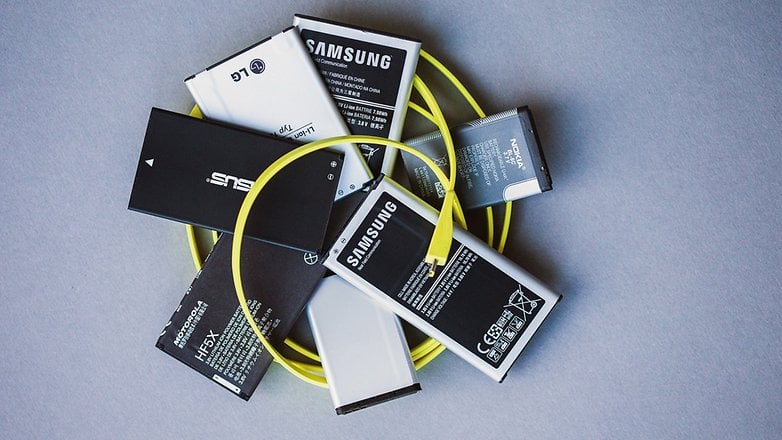
Et vous, comment personnalisez-vous votre smartphone Android ? Avez-vous réussi à tomber amoureux de votre smartphone Android pour la deuxième fois ?




Bonjour voilà mon problème j' ai un doogee s68 pro quand mon écran est verrouillé je ne reçois plus les SMS et mon répertoire ne se connecte plus a ma voiture avait vous une solution ?
Bin ça nous rajeuni pas cet article 🤣🤣
-
Admin
14 mars 2019 Lien du commentaireAu détour de ma route :
https://www.androidpit.fr/forum/788491/au-detour-de-sa-route
Salut,
J'aurais bien aimé utiliser Xposed sur ma tablette Samsung Tab 3 SM-T113 7 pouces, Version Android 4.4.4, rootée mais impossible.
1/ le fichier disponible n'est pas .zip et TWRP ne le trouve pas en mode recovery,
2/ quand j'installe le fichier .apk normalement, et après l'avoir ouvert, sous FRAMEWORK, il est écrit 'La dernière version d'Xposed est inactive. Avez-vous installé le framework et redémarré ?'. Là, je lui réponds 'ben vi, j'ai redémarré !'
3/ après avoir cliqué sur Framework, impossible d'installer/mettre à jour (grisé) et petite précision : 'Xposed n'est pas (encore) compatible avec Android SDK version 19 ou l'architecture de votre processeur (armeabi-v7a).' Puis un lien en anglais en rouge (suis pas bon !) inactif.
J'ai essayé plusieurs versions pour cette appli. récente ou ancienne mais le résultat est le même.
Donc question toute bête, est-il possible d'installer Xposed Framework sur ma jolie tablette ou pas ? Et si oui, comment faire ?
Précision d'importance, je suis nul en manips informatiques même si j'ai rooté mon appareil, merci de me répondre dans un langage clair que je puisse suivre les explications, merci d'avance !
Waow mais l'article date de plusieurs années à ce que je vois 😂
-
Admin
27 mai 2018 Lien du commentairePour info Smart Launcher 3 s'appelle Smart Launcher 5
Les launcher c'est comme les séries , il y a une nouvelle saison chaque année !!
Ben oui, l'article n'a pas été (vraiment) mis à jour.
Exactement de plus smart launcher est vraiment pas terrible après il en faut pour tous le monde mais dans ce cas ce serait agréable de présenter plusieurs launcher (au moin 5 car il y en a des dizaines maintenant). Valeurs sur : Nova Launcher Pro et Apex Launcher pro (vous êtes quasiment que la plupart des pack d'icônes sont compatibles avec ces 2 launcher par exemple).
Cool merci :)
-
Admin
25 déc. 2016 Lien du commentairePerso c'est un joli fond d'écran piqué sur Pinterest + le widget de l'horloge + Nova et aucun icône ni aucun autre écran.
"Selon une étude très fiable, vous déverrouillez ensuite en moyenne 14785 fois votre smartphone par jour pour consulter vos widgets".
Je pense que des laboratoires de recherche aimeraient bien prélever un peu d'ADN des cobayes qui ont servi à faire cette étude pour savoir dans quelle galaxie ils sont nés. Parce que s'ils vivaient sur Terre où une journée dure environ 24 heures, ils déverrouilleraient leur téléphone près de 70 fois chaque minute, en travaillant 100% de leurs journées (donc sans jamais boire ni manger ni dormir).
est-ce que quelqu'un entre vous à essayer de créer un thème?
Bonjour. J'utilise nova, je n'utilise que le tiroir (drawer) , j'affiche jusqu'à 12x12 , 1 seule page suffit, je masque des applis, je les renomme pour les trier, je dessine mes icones en png et nova les intègre parfaitement. Simplicité, personnalisation, bonheur
J'ai déjà essayé plusieurs launchers et, franchement, je suis en général très déçu. Chacun y va de sa logique et il n'y a plus de logique. Il faut à chaque fois "redécouvrir" son smartphone. Cela prend un peu de temps et c'est pour rendre compte, au final, que ce n'apporte pas la personnalisation que l'on espérait. Déjà, ce qui m'énerve, c'est de perdre la personnalisation de l'écran d'accueil. Il faut à chaque fois tout réarranger comme c'était. Et si on gagne en fonctionnalités, pas toujours pertinentes, on en perd d'autres auxquelles on s'était habitué. C'est "Wouaaaa, on peut faire cela..." suivi de "Arggggg, merde, ce que je faisais avant, je ne peux plus le faire". Un peu comme si, dans votre voiture, on vous ajoutait un porte-gobelet mais qu'on vous supprimait du même coup le vide-poche!
Bref, souvent très prometteur en théorie, souvent très décevant dans la pratique.
Test Nova Launcher et ou Apex Launcher ce sont les plus complet et ils ont un système de sauvegarde (de tout ce que tu a paramètrer) . Par contre je trouve que sur Apex il y a trop d'option ça ajoute de la complexité . Nova et la meilleure alternative et bien sûr il est conseillé d'acheter la version Pro pour débloquer toute les options .
Bien sur la version pro.
Par contre tu réponds à un message qui date du 13 juin 2016.
Moi j'utilise Lightnight launcher. Certes pas très simple au départ mais n'a pratiquement pas de limite de personnalisation. En anglais au départ mais il y a un pack de langage français de disponible. La vidéo de démonstration sur le play store est très bien faite.
Je viens de découvrir les commentaires qui apparaissent en premier et ça m'amène à une constatation, comment se fait-il que l'auteur(e) ne se pose pas plus de question sur les difficultés rencontrées par les intervenants ? Ce qui paraissait une très bonne idée de départ peut se transformer en cauchemar ... enfin presque !
très bon article merci
Pour personnaliser ma Tab S 8.4 4G rootée (ou mes smartphones précédents) j'utilise :
- Nova Launcher pour remplacer Touchwizz bien trop basique et pauvre
- XPosed Installer avec modules GravityBox (ultra-complet), APM+ (pour personnaliser le menu d'extinction), Bootmanager (pour sélectionner quelles applis ont le droit de se lancer au démarrage ou non), Greenify (pour fermer automatiquement les applis qui voudraient se lancer silencieusement sans qu'on les ait lancées soi-même), Kitkat SD Card Full Access (pour permettre à Kitkat d'écrire sur la carte externe, limitation native de Kitkat).
- Disable Increasing Ring : appli indispensable pour les utilisateurs de Samsung qui ne veulent pas de cette hérésie de la 1ère sonnerie très faible et qui fait rater des appels. Si Samsung pouvait laisser décider les utilisateurs au lieu de leur imposer obligatoirement cette fonction très gênante lorsqu'on ne la souhaite pas...