Les meilleures applications Android à installer sur votre smartphone en 2024

Vous recherchez des applications Android pour améliorer votre expérience sur votre smartphone? Que vous ayez besoin de contenu généré par l'IA, d'outils de retouche photo, de fitness, de navigation GPS, de streaming musical ou encore de productivité, notre sélection est faite pour vous. Découvrez donc les meilleures applications Android à installer en 2024.
Cette sélection se concentre sur les applications Android uniques et à fort impact. Les applications les plus populaires comme Google Maps, Chrome et WhatsApp ne sont pas incluses, ce qui nous permet de mettre en avant des applications moins connues mais tout aussi intéressantes.
Aussi, si vous utilisez un iPhone et que vous êtes tombé par hasard sur cet article, découvrez notre sélection des meilleures applications iOS de 2023, que nous avons aussi récemment mis à jour.
Sommaire:
- La meilleure application de chatbot d'IA
- La meilleure application de génération d'art par l'IA
- La meilleure application de désintoxication numérique
- La meilleure application photo
- La meilleure application de retouche photo
- La meilleure application de productivité
- La meilleure application mail
- La meilleure application de fitness
- La meilleure application de prises de notes
- La meilleure application de navigation/GPS
- La meilleure application météo
- La meilleure application de lecture/livres audio/podcast
- La meilleure application de stockage en ligne
- La meilleure application de rencontre
La meilleure application de chatbot IA: AI Chatbot Nova
ChatGPT est bien connu, mais AI Chatbot Nova se distingue par sa précision. La version de base de Nova est gratuite avec trois chats quotidiens, mais il existe un abonnement hebdomadaire de 4,99 euros ou annuel de 39,99 euros pour une utilisation illimitée, des réponses détaillées, l'historique des chats, des réponses instantanées, l'OCR et un générateur d'images.
Il est idéal pour ceux qui dépendent fortement des chatbots et s'intègre bien aux maisons intelligentes modernes grâce à des fonctionnalités telles que les commandes vocales.
- Prix: Gratuit / Publicité: Non/ Achats-in-app: Oui / Compte: Non requis
La meilleure alternative à l'application AI Chatbot: ChatOn
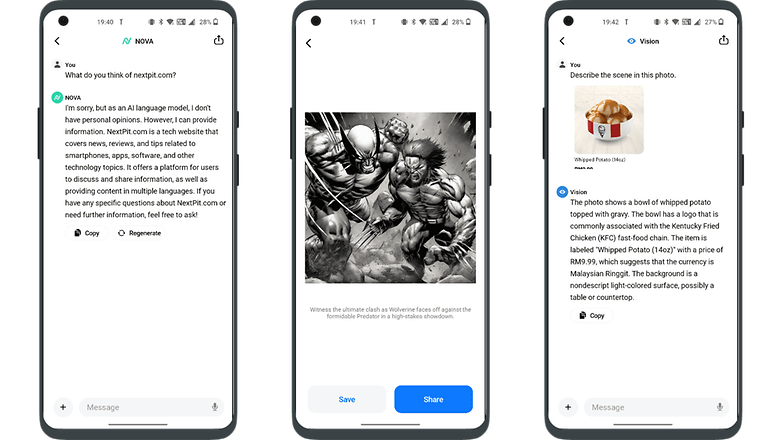
ChatOn se distingue par sa capacité à trouver des informations à partir de contenus divers comme des chansons et des blogs, en offrant des réponses semblables à celles des humains. Ses points forts sont la reconnaissance de texte, la conversion de texte en texte, de texte en voix et le support multilingue.
La version de base est gratuite, mais un abonnement hebdomadaire de 6,99 euros ou annuel de 39,99 euros permet d'accéder à toutes les fonctionnalités. Il offre également des interactions de jeu de rôle uniques et peut visualiser des images de ses réponses, ce qui laisse présager l'intégration future de robots physiques.
- Prix: Gratuit / Publicité: Non/ Achats-in-app: Oui / Compte: Non requis
La meilleure application de génération d'art AI : YouCam Perfect
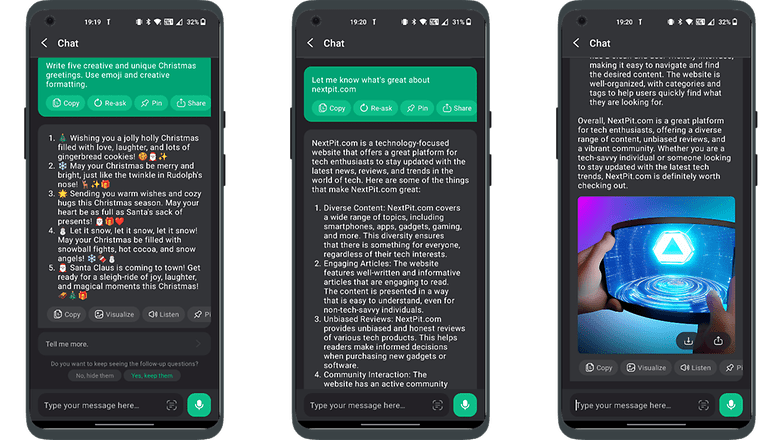
YouCam Perfect est une application pilotée par l'IA qui transforme facilement les photos en œuvres d'art, ce qui est idéal pour les personnes qui ne maîtrisent pas la retouche photo. Elle supprime la complexité des invites, ce qui la rend conviviale, bien qu'elle comporte des publicités qui peuvent être supprimées moyennant un abonnement.
Elle est idéale pour les utilisateurs de réseaux sociaux, car elle offre des fonctionnalités telles que la caricature de selfies, le blanchiment des dents, l'éclaircissement des yeux et les retouches numériques. Les outils supplémentaires comprennent des autocollants, des animations, des polices, des filtres et des arrière-plans pour des images personnalisées et impressionnantes.
- Prix: Gratuit / Publicité: Oui / Achats-in-app: Oui / Compte: Nécessaire
La meilleure alternative à l'application AI art generator: WOMBO Dream
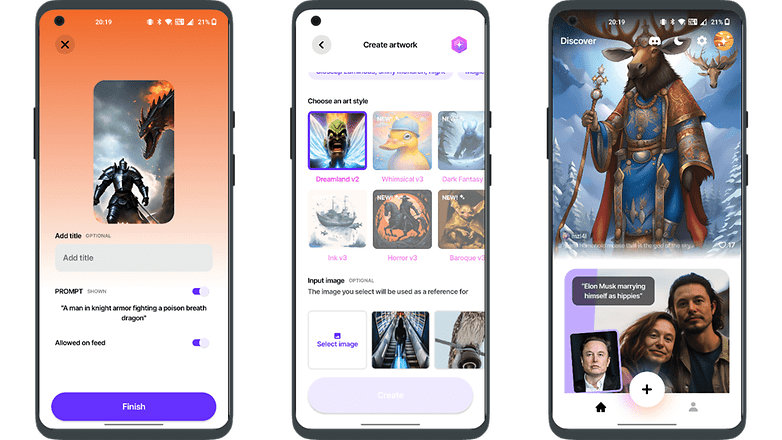
L'essor des générateurs d'art IA comme WOMBO Dream, connus pour leur traitement rapide et efficace des messages, ne signifie pas la fin de la carrière des artistes traditionnels. Ces outils, appréciés pour leur polyvalence et leurs fonctions conviviales, complètent la créativité humaine plutôt qu'ils ne la remplacent.
S'ils offrent des options pratiques telles que la génération simultanée de plusieurs images et l'édition de texte, la valeur et l'expression uniques des œuvres peintes à la main restent irremplaçables. L'art de l'IA élargit les horizons de la créativité, en accompagnant les formes d'art traditionnelles plutôt qu'en les remplaçant.
- Prix: Gratuit / Publicité: Non/ Achats in-app: Oui / Compte: Nécessaire
La meilleure application de désintoxication numérique: "Forest : Focus for Productivity"
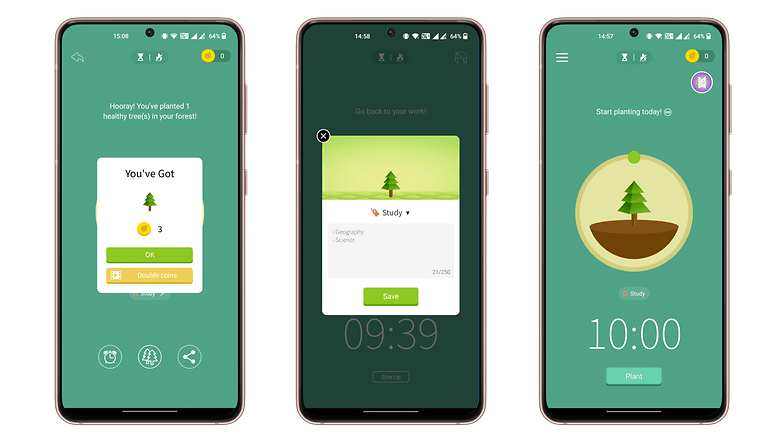
"Forest : Focus for Productivity" est une application de pleine conscience qui utilise la gamification pour réduire les distractions téléphoniques. Elle propose un minuteur de concentration unique où une graine se transforme en arbre au fur et à mesure que vous travaillez, ce qui vous encourage à mieux gérer votre temps.
Cependant, si vous utilisez votre smartphone prématurément, l'arbre se dessèche. L'application permet de la personnaliser, par exemple en définissant des arbres différents pour les tâches et en ajoutant des citations motivantes, ce qui en fait un moyen attrayant d'améliorer la concentration et d'instaurer des habitudes productives.
- Prix: Gratuit / Publicité: Oui / Achats-in-app: Oui / Compte: Oui
La meilleure alternative à l'application de désintoxication numérique: StayFree - Screen Time
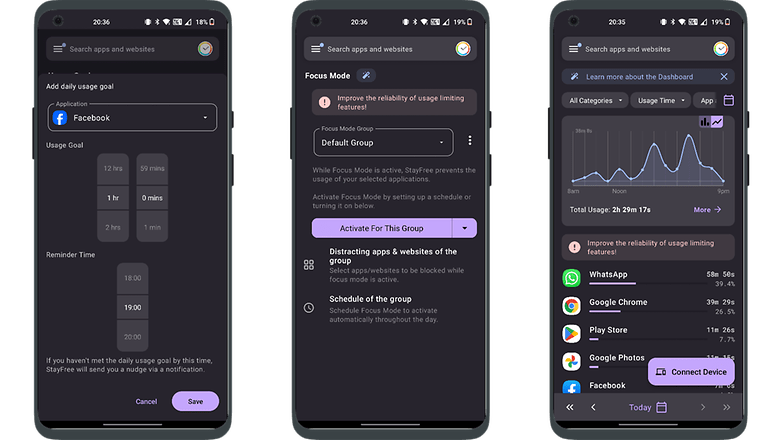
StayFree vous aide à suivre votre temps d'écran quotidien et le temps passé sur les différentes applications, favorisant ainsi la désintoxication numérique en fixant des limites d'utilisation des applications.
Elle nécessite l'accès aux données d'utilisation de votre smartphone et peut se synchroniser avec d'autres appareils pour optimiser le temps d'écran, ce qui permet de réduire les distractions numériques et d'encourager de meilleures habitudes.
- Prix: Gratuit / Publicité: Non/ Achats in-app: Aucun / Compte: Non requis
La meilleure application photo: ProCam X
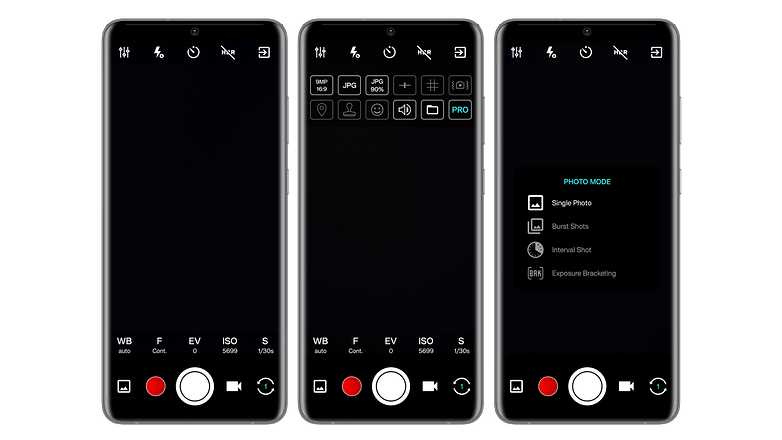
ProCam X est une application photo polyvalente qui offre des réglages avancés tels que la sensibilité ISO, l'exposition et la correction de la balance des blancs, à l'instar d'un reflex numérique professionnel, mais au format numérique.
Elle permet d'appliquer des filtres en temps réel, d'afficher la grille du nombre d'or pour cadrer les prises de vue et propose différents modes de prise de vue, dont la rafale et la répétition automatique. Avec une interface claire, elle offre un accès rapide aux fonctions courantes, ce qui en fait une excellente alternative aux applications standard d'appareil photo.
- Prix: 5€ / Publicité: Non/ Achats in-app: Non / Compte: Non requis
L'alternative à la meilleure application photo: Pixtica
Pixtica est une application photo polyvalente, semblable à un couteau suisse, qui offre à la fois des fonctionnalités de photographie et d'édition. Elle propose une interface conviviale, de nombreux outils et filtres.
Ses principales caractéristiques sont la capture de photos au format RAW, le mode HDR, des fonctions de base telles que la gestion de la minuterie et du flash, ainsi que des options permettant de contrôler la sensibilité ISO, la balance des blancs et l'exposition.
Des fonctions uniques telles que la création de panoramas, la modification de l'arrière-plan et les GIF animés le distinguent. Son interface bien organisée est particulièrement conviviale pour les débutants.
- Prix: Gratuit / Publicité: Non / Achats in-app: Oui / Compte: Non requis
La meilleure application de retouche photo: Snapseed
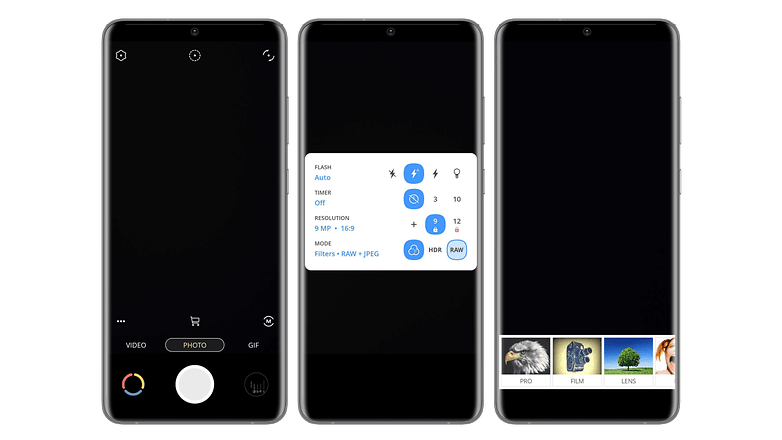
Snapseed reste l'une des meilleures applications de retouche photo après un an. Elle propose 29 outils et filtres pour des retouches personnalisées telles que la luminosité, la saturation, la netteté et le contraste, à la fois automatiquement et manuellement.
Elle inclut la rotation, le recadrage, le redressement et prend en charge les formats PNG, JPEG et RAW. Les principales fonctionnalités sont la suppression d'objets, l'assemblage de photos et une interface conviviale.
- Prix: Gratuit / Publicité: Non / Achats in-app: Non / Compte: Non requis
L'alternative à la meilleure application photo: Toolwiz Photos
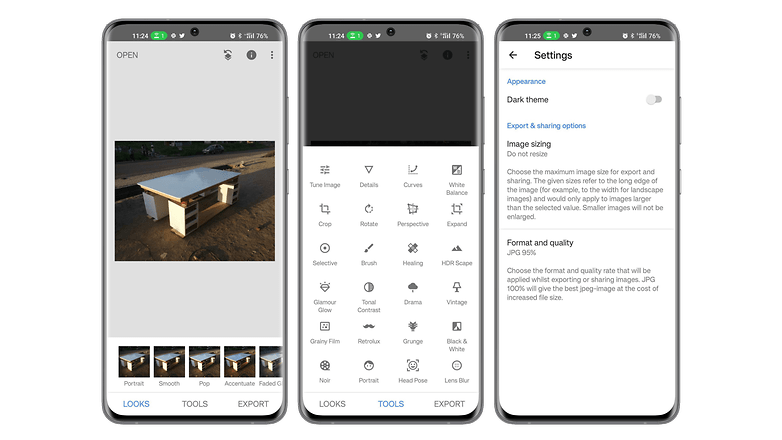
Toolwiz est aussi une application de retouche photo assez réussie. En plus d'offir toutes les fonctions et outils de base pour modifier vos photos, l'application permet aussi de faire des collages photos, des albums ou des présentations. Toolwiz se démarque par sa grande variété de filtres et d'effets artistiques comme le pochage, la gravure ou la peinture murale.
L'application propose des filtres de beauté qui permettent d'amincir le visage ou le corps, faire un maquillage ou supprimer les yeux rouges. Vous trouverez aussi des fonctions WTF comme l'estimation de l'âge. Seule l'interface chargée et un peu difficile à appréhender peut gêner mais finalement, on s'y fait vite.
- Prix: Gratuit / Publicité: Oui / Achats in-app: Oui/ Compte: Non requis
La meilleure application de productivité: Stay Focused
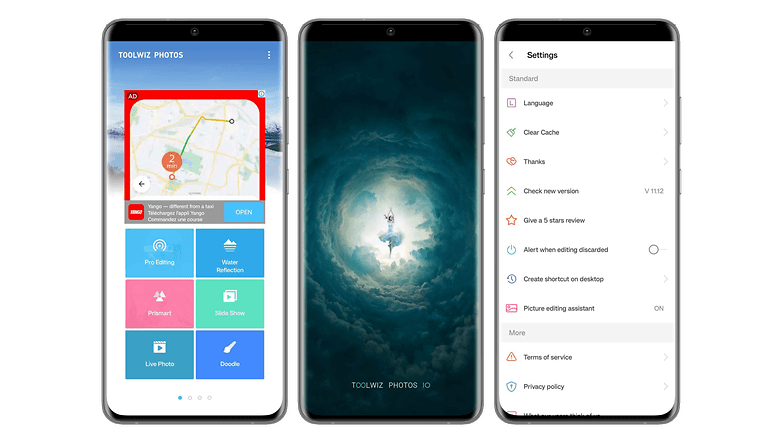
Stay Focused est une application qui améliore votre producitivé en boostant votre concentration. Elle permet de vous couper du monde numérique sans pour autant éteindre votre smartphone. L'application permet de choisir quels sites internet ou applications vous souhaitez bloquer et la durée du blocage.
Vous pourrez aussi bloquer de façon globale l'utilisation de votre smartphone pour encore mieux vous concentrer. Stay Focused permet de suivre votre utilisation afin de faire des ajustements et avoir une vie plus équilibrée. L'interface est sobre et personnalisable avec notamment un mode sombre.
- Prix: Gratuit / Publicité: Non/ Achats in-app: Oui/ Compte: Non requis
L'alternative à la meilleure application de productivité: Toggl
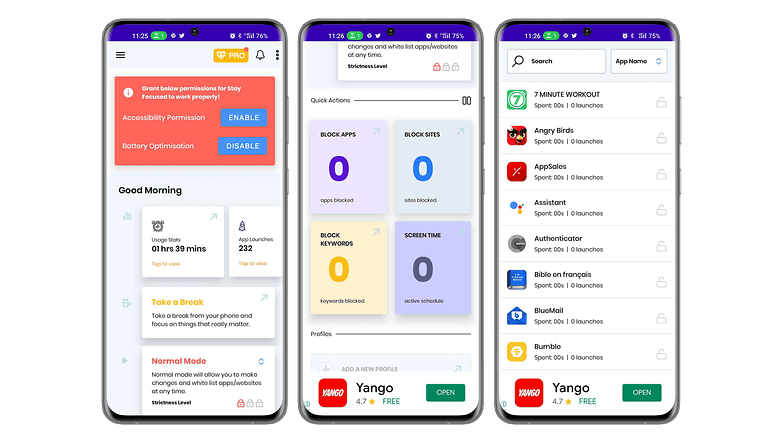
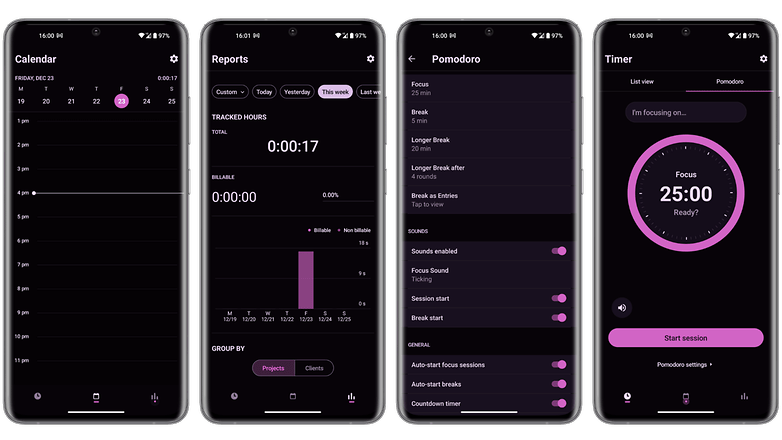
Toggl est une application de productivité qui vous aidera à mieux gérer votre temps. L'application suit votre temps grâce à plusieurs outils comme un minuteur Pomodoro, le suivi en arrière-plan en fonction du temps passé sur un site ou l'importation des données de votre agenda.
Toggle dispose d'une extension pour Chrome et Firefox, mais aussi pour plusieurs applications comme Gmail, Asana, Google Agenda, Todoist, Evernote, Trello ou encore Slack. Le suivi du temps peut se faire de façon automatique ou manuelle selon vos préférences. La version gratuite offre la plupart des fonctions de base et l'application a une interface très réussie visuellement.
- Prix: Gratuit / Publicité: Non / Achats in-app: Oui / Compte: Requis
La meilleure application mail: Blue Mail
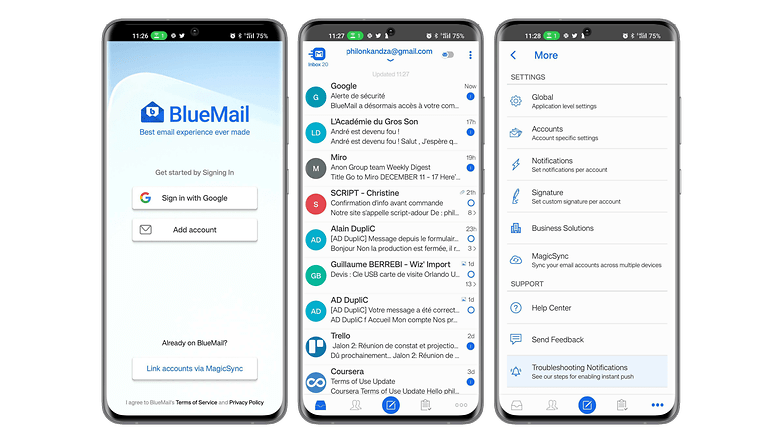
Blue Mail est une application mail universelle qui a été largement plébiscitée pour sa convivialité et son interface utilisateur épurée. Elle prend en charge plusieurs services de messagerie, notamment Gmail, Outlook, Hotmail, Yahoo Mail, AOL, iCloud et Office 365, et permet d'afficher tous vos e-mails dans une boîte de réception unique et intégrée.
Elle dispose également de son propre calendrier intégré qui se synchronise avec les données de tous vos comptes de messagerie, ce qui permet d'accéder aux événements de votre calendrier directement dans Blue Mail.
- Prix: Gratuit / Publicité: Non/ Achats in-app: Oui/ Compte: Requis
L'alternative à la meilleure application mail: Cleanfox
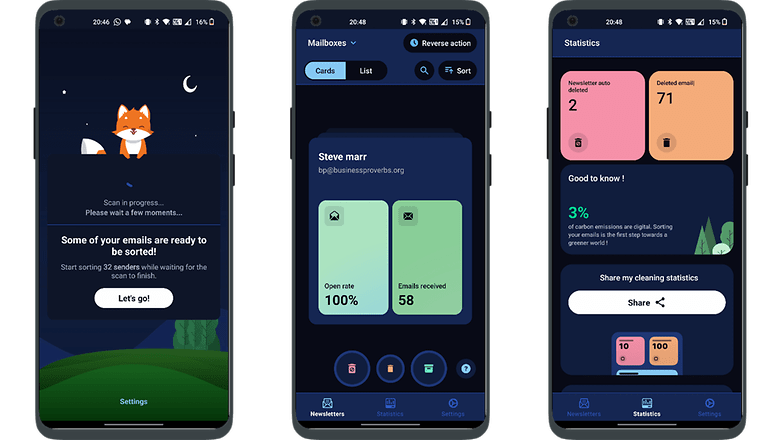
Cleanfox rationalise la gestion des courriels, en particulier pour les utilisateurs intensifs, en fusionnant les styles de courriel et de messagerie instantanée. Après vous être connecté avec votre compte de messagerie existant, Cleanfox organise les courriels en conversations uniques par destinataire, en remplaçant les en-têtes pour faciliter le suivi.
Une ligne de réponse sous chaque fil de discussion facilite la communication continue, rendant la consultation des courriels plus agréable grâce à son interface intuitive.
- Prix: Gratuit / Publicité: Non/ Achats in-app: Non/ Compte: Requis
La meilleure application de fitness: 7 Minutes Workout
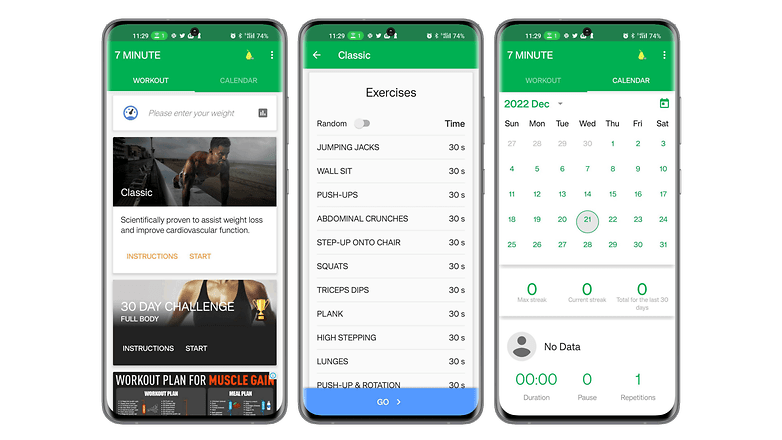
7 Minutes Workout est une application de fitness pensée pour celles et ceux qui veulent s'entraîner sans se prendre la tête. Elle propose une série d'exercices rapides et ne nécessitant pas d'équipements. L'application est basée sur le principe de l'entrainement fractionné de haute intensité ou HIIT. Vous trouverez dans l'application, douze exercices de fitness de trente secondes chacun, avec dix secondes pour récupérer entre chaque exercice.
Avec seulement une chaise, un mur et un peu de motivation, vous pourrez vous remettre en forme ou vous lancer dans le fitness même si vous n'avez pas beaucoup de temps. L'interface est conviviale et priorise le dynamisme, ce qui fait qu'il suffit d'appuyer sur un bouton sur l'écran principal pour directement démarrer l'entraînement.
- Prix: Gratuit / Publicité: Oui/ Achats in-app: Oui / Compte: Non requis
L'alternative à la meilleure application de fitness: FizzUp
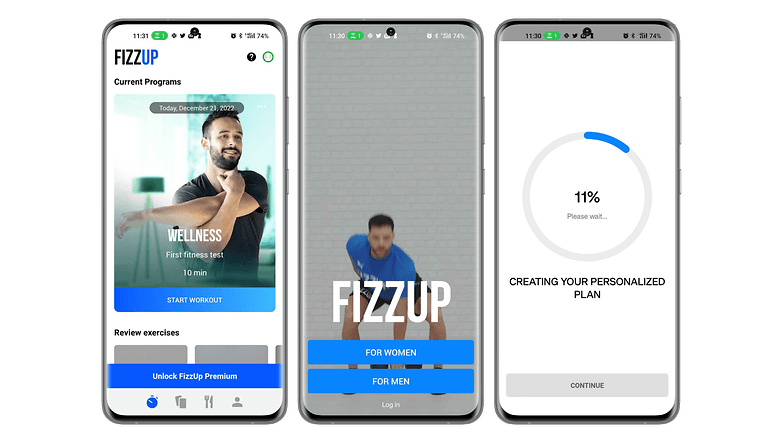
FizzUp est en fait un service de coaching sportif proposant plusieurs programmes d’entraînements pour différents objectifs. Vous voulez vous muscler, mincir ou simplement rester en forme? L'application propose plus de 300 exercices vidéo ne nécessitant aucun matériel, 250 recettes saines ainsi que des évaluations pour vérifier votre progression.
L'application permet de suivre un programme sportif adapté en fonction de vos capacités et objectifs. Les entraînements durent une vingtaine de minutes en moyenne. Il y a 15 niveaux comprenant chacun de 6 à 21 séances. FizzUp propose aussi des séances de Yoga et de méditation. L'interface est agréable à utiliser, excepté l'invitation instrusive à s'abonner au forfait premium.
- Prix: Gratuit (19,99€/mois) / Publicité: Non/ Achats in-app: Oui / Compte: Requis
La meilleure application de prises de notes: Joplin
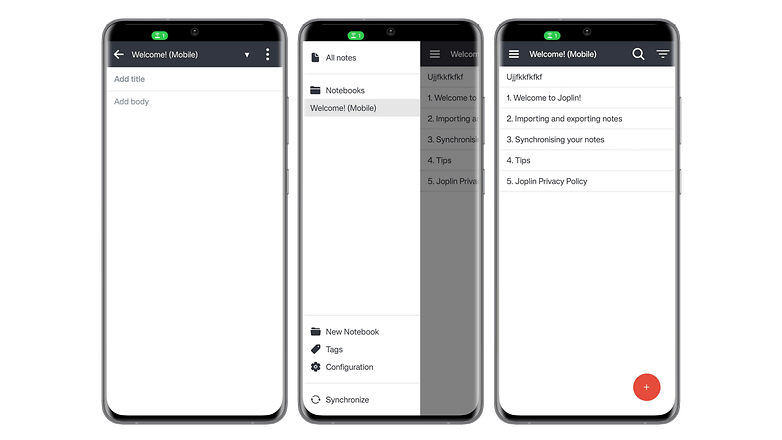
Joplin est considéré comme l'une des applications de notes les plus complètes sur Android. Dans cet outil open source, vos notes sont consultables, peuvent être copiées, modifiées ou étiquetées directement depuis l'application et même depuis l'éditeur de texte de votre PC si vous n'avez pas votre smartphone. L'application a l'avantage de prendre en charge le format MarkDown qui facilite le balisage léger et offre une syntaxe facile à lire et à écrire.
En plus de la prises de notes, Joplin permet de créer des listes de tâches qui seront synchronisées sur plusieurs appareils. Cette synchronisation est protégée par le chiffrement de bout en bout. L'application est extensible grâce à des plug-ins de personnalisation qui rendent l'expérience encore meilleure.
- Prix: Gratuit / Publicité: Non/ Achats in-app: Non / Compte: Non requis
L'alternative à la meilleure application de prises de notes: Note For
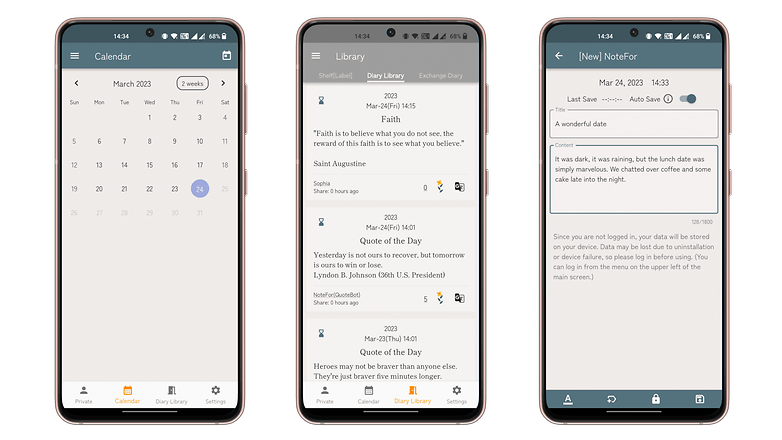
Note For est une application de journal efficace qui facilite la saisie rapide des pensées, idéale pour les journaux intimes ou les journaux de bord. Elle offre un formatage convivial et des thèmes personnalisables.
Les utilisateurs peuvent tenir plusieurs journaux pour différents aspects de leur vie, avec toutefois une limite de 1 800 caractères par entrée. L'identification permet de débloquer des fonctionnalités supplémentaires telles que l'accès au calendrier et l'enregistrement sur le cloud, avec la possibilité d'exporter les entrées de votre journal.
- Prix: Gratuit / Publicité: Non/ Achats in-app: Non / Compte: Non requis (mais recommandé)
La meilleure application de navigation/GPS: Sygic
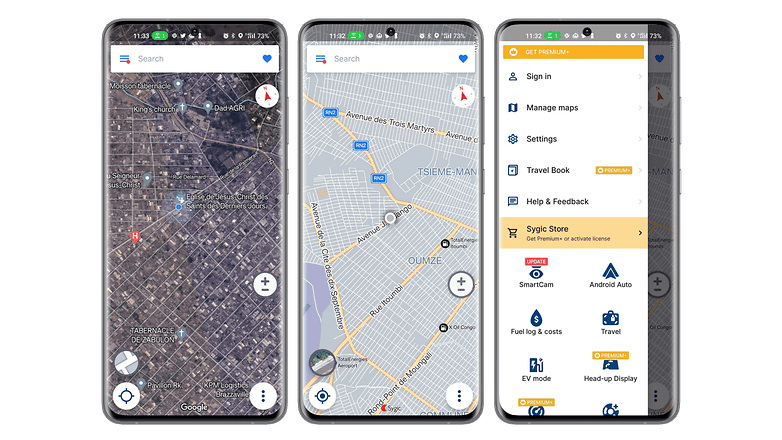
Sygic GPS Navigation & Maps est une application GPS assez populaire qui se veut être la meilleure alternative à Waze. Elle permet de télécharger des cartes pour les consulter hors lignes. L'application utilise les cartes TomTom et offre la mise jour gratuite des cartes et des points d'intérêts. Avec son système "realview", Sygic affiche les images de la route que vous empruntez, avec la détection des panneaux limiteurs de vitesse.
La recherche de trajet est rapide et intuitive. Il est possible d'enregistrer l’emplacement de votre voiture garée, un historique des lieux visités, et il existe un mode SOS qui vous aidera à localiser et contacter les services d’urgence les plus proches. L'application a une interface épurée et réussie qui affiche des cartes en 2D ou en 3D précises et claires.
- Prix: Gratuit / Publicité: Non/ Achats in-app: Oui / Compte: Non requis
L'alternative à la meilleure application de navigation/GPS: Mappy
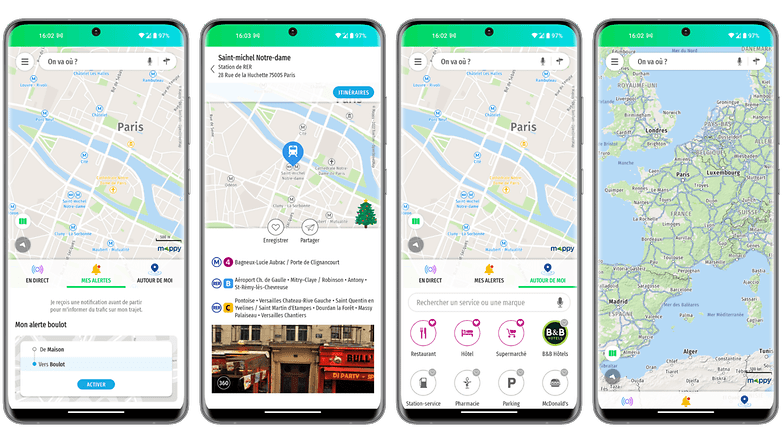
Mappy mise tout sur la diversité des moyens de transport qu'elle prend en charge. L'application permet de planifier vos itinéraires en comparant tous les modes de transport comme la voiture, les transports en commun, le taxi, l'avion, Uber, le train, BlaBlaCar, le vélo, les vélibs et même les trottinettes électriques ainsi que les trajets à pied.
Vous pourrez ainsi planifier vos déplacements en accédant à toutes les données de trafic en temps réel. Les cartes sont accessibles même sans connexion internet et l'application permet aussi de déterminer les coûts du trajet ainsi que de trouver des points d'intérêts. Mappy a une interface épurée qui va à l'essentiel.
- Prix: Gratuit / Publicité: Non/ Achats in-app: Non / Compte: Non requis
La meilleure application météo: Météo & Radar
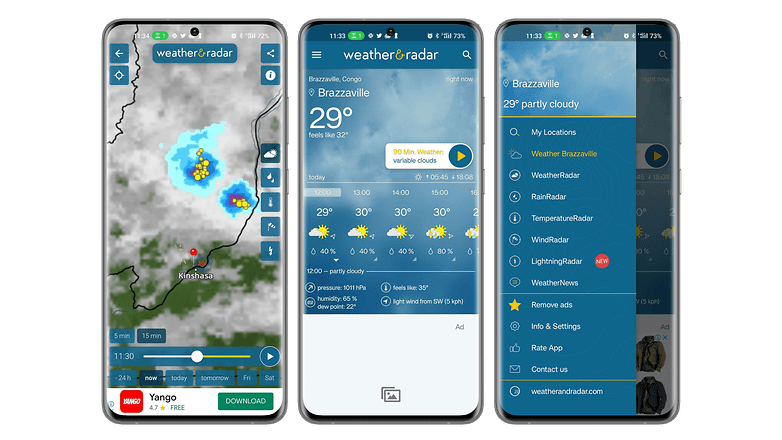
Météo & Radar est une application météo assez complète qui se démarque par ses prévisions météorologiques instantanées. L'application permet d'accéder à des prévisions horaires et journalières fiables avec un radar d’animation météo en temps réel. Vous aurez aussi des infos telles que les alertes intempéries en cas de phénomène dangereux, la météo des neiges, la température de l'eau en bord de mer, la météo des neiges ou l'indice UV.
L'application dispose aussi d'un indicateur de pollen qui indique les prévisions polliniques des plantes allergènes. L'autre force de Météo & Radar est son widget bien pensé, très pratique pour vous informer rapidement sans avoir besoin d'aller dans l'application. Malgré la richesse de ses informations, l'interface est claire et les éléments sont bien disposés.
- Prix: Gratuit / Publicité: Oui/ Achats in-app: Oui/ Compte: Non requis
L'alternative à la meilleure application météo: Meteociel
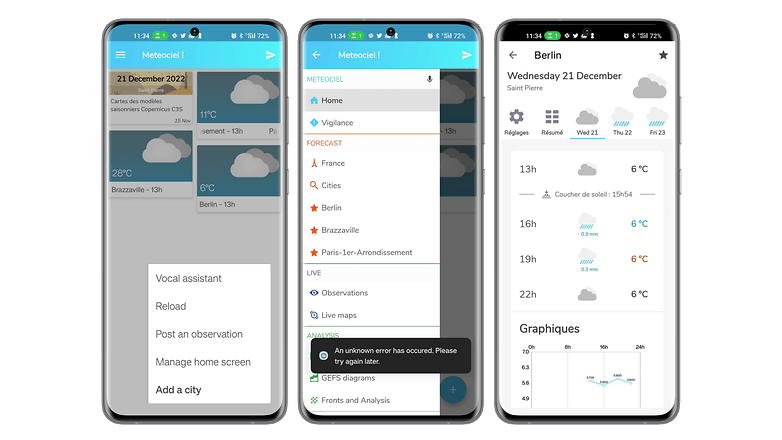
Très complète et simple à appréhender, Meteociel est une application météo efficace. Sur la page d'accueil sont mises en avant les tendances des villes ajoutées aux favoris et leurs ces cartes des températures en direct. L'application affiche un bulletin météo détaillé avec la pression atmosphérique, la nébulosité, le taux d’humidité, ainsi que la vitesse moyenne, les rafales et la direction du vent.
Il est aussi possible de consulter différentes cartes en direct, d'accéder aux relevés officiels réalisés dans les différentes stations météo de France et d’ailleurs ou encore de consulter l'ensemble des cartes des modèles de prévisions météo. L'interface sombre est agréable à utiliser et intuitive.
- Prix: Gratuit / Publicité: Non/ Achats in-app: Non/ Compte: Non requis
La meilleure application de lecture/livres audio/podcast: Kobo Books
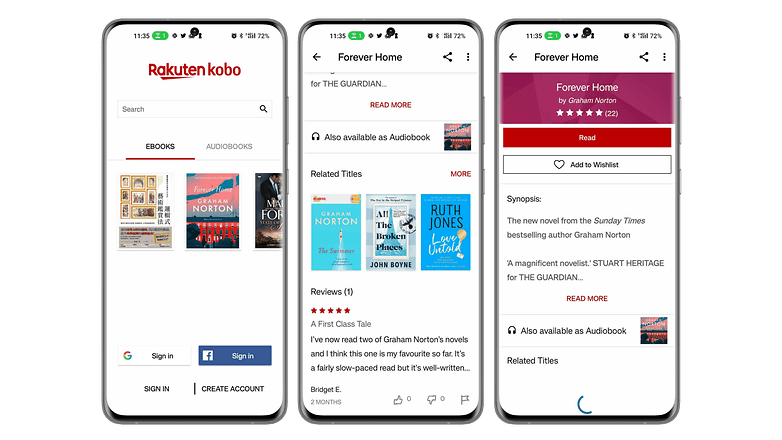
Avec Kobo Books, vous pourrez lire vos eBooks et écouter vos livres audio sur votre smartphone de façon agréable. L'application a une collection de plus de 100.000 eBooks et livres audios dans des domaines et genre variés. Vous n'aurez qu'à acheter un titre sur Kobo.com avant de synchroniser votre application pour pouvoir le lire ou l'écouter à tout moment.
Vous pourrez commencer votre lecture sur un appareil et la finir sur un autre grâce à la synchronisation de tous vos marque-pages. Kobo propose aussi des extraits gratuits afin de vous aider à choisir un livre à lire. L'expérience est améliorée par des fonctions comme la possibilité de choisir entre le mode jour et le mode nuit, la taille de la police et même de rechercher des mots avec le dictionnaire intégré.
- Prix: Gratuit / Publicité: Non/ Achats in-app: Oui/ Compte: Requis
L'alternative à la meilleure application de lecture/livres audio/podcast: Podcast Addict
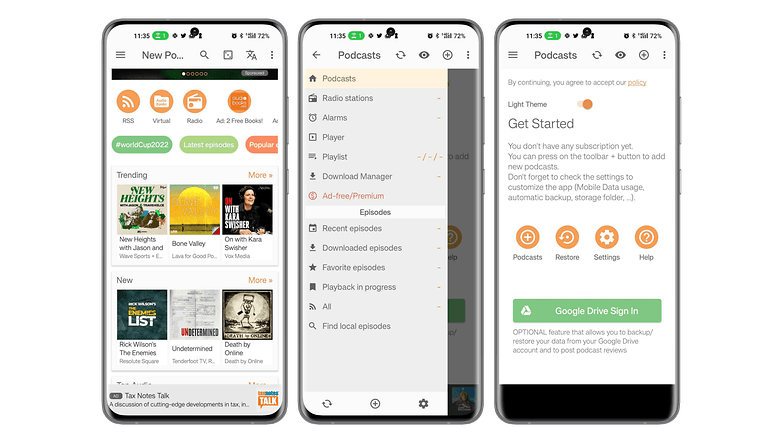
Podcast Addict est une application qui centralise les podcasts de différentes sources. Vous pourrez rechercher par nom ou par mots clés parmi les cinq millions de podcasts et plus de cent millions d'épisodes. Podcast Addict offre aussi l'accès à des livres audios, émissions de radio et chaînes YouTube ou Twitch. Vous pourrez vous abonner à plusieurs podcasts, télécharger des épisodes et recevoir des notifications sur les derniers contenus audio publiés
L'application permet d'accéder à des épisodes dans différentes langues en plus du français et le lecteur audio est entièrement personnalisable. Vous pourrez modifier les paramètres en fonction du podcast écouté et les sauvergarder.
- Prix: Gratuit / Publicité: Oui/ Achats in-app: Oui/ Compte: Requis
La meilleure application de stockage en ligne: pCloud
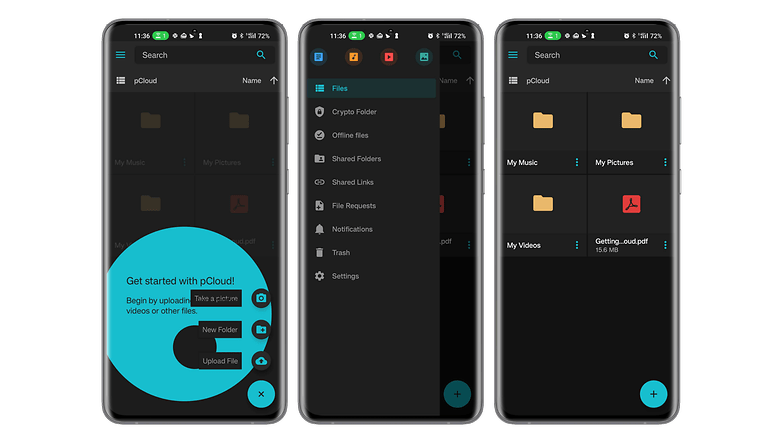
pCloud est une application de stockage en ligne avec une offre très intéressante. Grâce à ses offres de stockage valables à vie après un paiement unique, vous n'aurez pas à supporter des frais mensuels. L'application a une interface simple et propose le chiffrement total de vos données pour le transfert et le stockage ainsi que la synchronisation de vos documents stockés sur tous vos appareils.
Vous pourrez télécharger, déplacer, renommer, visualiser ou écouter tous vos fichiers peu importe que vous soyiez sur smartphone, PC, Mac ou même Linux.
- Prix: Gratuit / Publicité: Non/ Achats in-app: Non/ Compte: Requis
L'alternative à la meilleure application de stockage en ligne: Mega
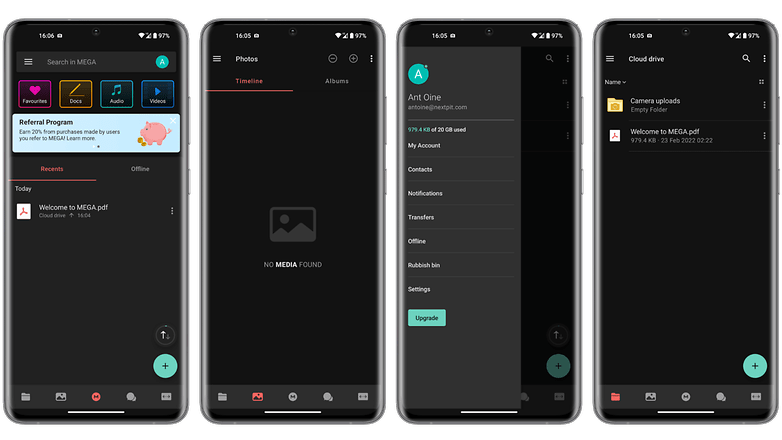
Avec Mega, vous pourrez stocker gratuitement jusqu'à 20 Go de données qui seront chifrées. Grâce à la synchronisation, vous pourrez accéder à vos fichiers sur n'importe quel appareil. Vous pourrez protéger l'accès à vos données par un mot de passe. L'application favorise le partage de fichiers avec son dossier partagé, mais permet aussi de transférer des fichiers lourds en les téléchargeant puis en partageant juste le lien généré.
Mega permet de facilement accéder aux statistiques d'utilisation de votre espace de stockage cloud, de glisser/déposer des contenus directement sur l’interface web, de prévisualiser des documents et même lire des vidéos via un lecteur intégré.
- Prix: Gratuit / Publicité: Non/ Achats in-app: Non/ Compte: Requis
La meilleure application de rencontre: Once
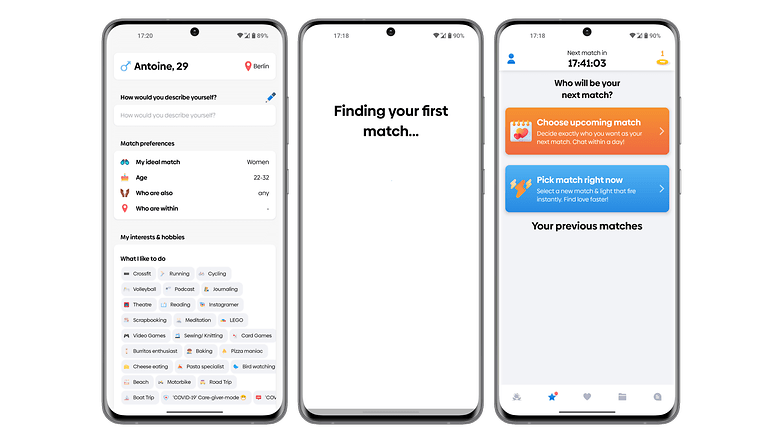
Once est une application de recontre pensée pour celles et ceux qui souhaitent prendre leur temps pour faire des rencontres qui en valent le coup. La particularité de l'application réside dans le fait qu'elle n'affiche qu'un seul profil par jour. Au fil du temps, les algorithmes s'améliorent pour vous recommander des partenaires de plus en plus appropriées.
Once se focalise sur les rencontres pouvant déboucher sur une relation sérieuse. La personnalisation de votre profil permettra d'améliorer vos chances de trouver la partenaire que vous recherchez. L'interface de l'application est un peu chargée notamment avec la fonction de notation.
- Prix: Gratuit / Publicité: Non/ Achats in-app: Oui/ Compte: Requis
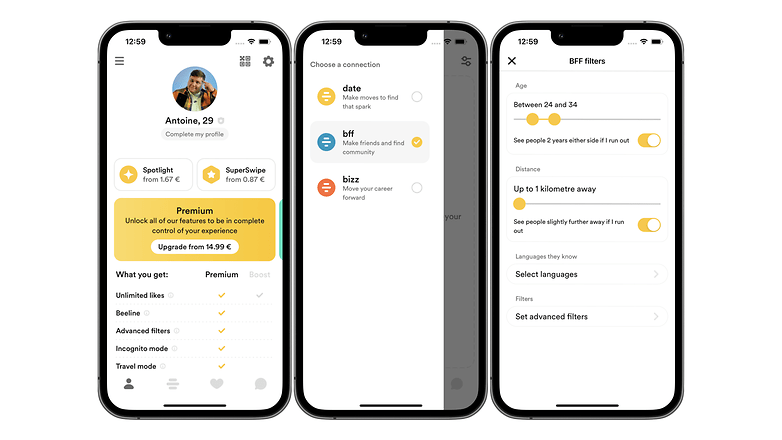
L'alternative à la meilleure application de rencontre: Bumble
Bumble dispose des mêmes fonctions de base que la majorité des applications de rencontre mais y ajoute des fonctions pratiques comme les rencontres amicales ou professionnelles. Contrairement à Tinder notamment, Bumble donne l'initiative aux femmes pour les rencontres en interdisant aux hommes d'établir le premier contact.
En plus de la fonction de chat plutôt réussie, vous pourrez envoyer des messages vocaux, jouer à un mini-jeu de questions/réponses pour apprendre à se connaître, envoyer des photos et lancer un appel vidéo.
- Prix: Gratuit / Publicité: Non/ Achats in-app: Oui/ Compte: Requis
Voilà pour notre sélection des meilleures applications Android à installer sur votre smartphone en 2023. Quelles sont vos applications Android préférées? Avez-vous d'autres suggestions?
Cet article a été mis à jour en décembre 2023, les commentaires précédents ont été conservés.






Et Degoo? Avec les 100gb ? Elle n'est pas valable pour le stockage?
Choix d'une banalité affligeante
D'accord avec plusieurs choses :
- D'accord pour le meilleur clavier : SwiftKey.
- D'accord pour le meilleur navigateur : Opera.
- D'accord pour le meilleur launcher : Nova Launcher.
- En ce qui concerne la meilleure messagerie : WhatsApp si on prend en considération le nombre d'utilisateurs, mais dans l'absolu Telegram est plus complète.
-
Admin
29 sept. 2021 Lien du commentaireEt c'est toujours pareil, à quoi sert la meilleure alternative quand tous tes contacts sont sur WhatsApp niveau 0 en confidentialité
Je pars toujours du principe que ce que j'écris peut être intercepté et lu par autrui, que ce soit avec WhatsApp, Telegram ou Signal. Et si j'avais un grand secret à transmettre, j'irais le dire de vive voix à la personne en lui chuchotant à l'oreille (avec 15 masques sur la tronche), ou je lui écrirais un message manuscrit, transporté par un pigeon-voyageur qui ne fréquenterait pas les réseaux sociaux et serait dépourvu de transpondeur. 😁
-
Admin
30 sept. 2021 Lien du commentaireCe qui me m'inquiète ce n'est pas que mes messages soient lu, mais l'historique qu'ils en font, la façon dont ils les interprètent et les étiquettes qu'ils te collent, sans autres preuves que tes messages qui n'ont jamais été des déclarations sur l'honneur.
Alors si on doit nous coller des étiquettes sur les intentions qu'on n'a même pas vu ou même pas eu dans nos messages, il va falloir nous demander de déclarer sur l'honneur la véracité de tous ce que l'on écrit et je vais te dire dans ces conditions, on va y gagner en clarté 😁
-
Admin
29 sept. 2021 Lien du commentairePour moi le meilleur c'est celui qui répond d'abord à mes besoins, car comme on dit " le sucre ne sert à rien quand c'est le sel qui manque "
marre ras bol de toutes ces pubs
Une liste des meilleures applis : Https://lesapplicationsdesteban.blogspot.fr/
Je pense que chaque utilisateur Android devrait télécharger une application AnyTrans pour Android. Il est le meilleur outil pour vous aider à gérer votre téléphone.
Merci pour l'article
--- Refonte de l'article pour un peu plus de clarté et de précisions :)
Mon impression sur cet article a été partagée...
C'est vrai que ça bien plus envie de chercher ce que l'on désire comme cela !
Meilleur article de l'année avec 63 renvois vers d'autres articles ????
Je n'ai même pas compté le sommaire qui en cumule 15 à lui tout seul.
Meilleure fin de semaine à tout le monde et aux chroniqueurs qui ont visiblement besoin de beaucoup de repos !
Je n'arrive pas a telecharger les apk que vous n'était ?
très bon classement!
"Vous trouverez très probablement votre bonheur musical sur Spotify" si c'est avec "Ganjatherapie" (comme on peut le devinez... ) veuillez ne pas dépassez la dose prescrite !
Cette chanson s'écoute sans modération :P
Merci , mais je vois que vous avez oublié "ADTC" (Android Distance Tracking & Control)
Thanks !