Quel service de musique en streaming choisir? Le comparatif complet
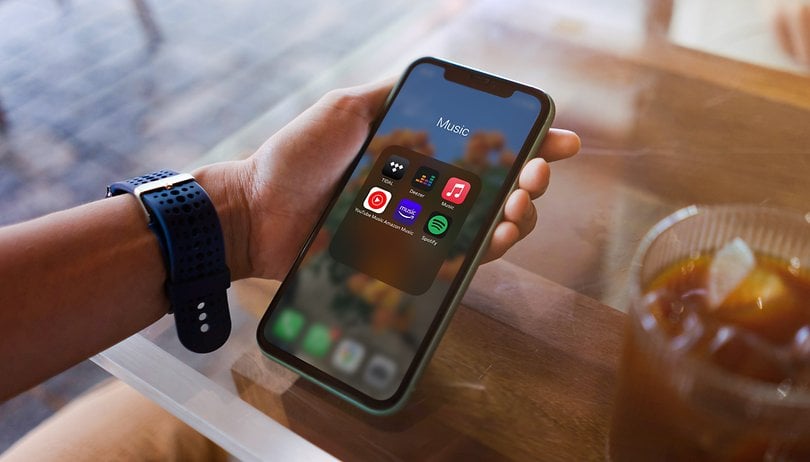

Quelles sont les meilleures applications de streaming musical disponibles pour Android et iOS en 2021? Derrière le leader Spotify, il existe de nombreuses bonnes applications, comme Apple Music, Deezer, Amazon et Tidal. NextPit a donc comparé pour vous les principales plateformes de streaming musical pour vous aider à choisir celle qui vous convient.
Sans musique, je mourrais comme toutes les plantes qui ont trouvé leur place entre mes quatre murs. Grâce aux applications de streaming musical, non seulement je peux accéder à tout moment à un nombre incroyable de 70 millions de chansons, mais en plus, elles sont toujours à portée de main sur mon smartphone, où que je sois.
Quels sont les principaux services de musique en streaming en 2021?
Le streaming musical prenant de plus en plus d'importance, nous avons examiné les principales applications de streaming disponibles, les avons comparé entre elles tout en vous indiquant leurs coûts respectifs. N'oubliez pas que cette sélection est subjective. N'hésitez donc pas à nous dire dans les commentaires si vous avez d'autres favoris et pourquoi.
Nous commencerons par comparer les applications dans le tableau ci-dessous, avant de vous les présenter une par une. C'est parti!
Comparatif
| Service/Specs | Période d'essai | Prix | Audio | Nb appareils | Nb de morceaux | Podcasts | Livres audio/jeux |
|---|---|---|---|---|---|---|---|
| Spotify | 30 jours |
|
|
1 | Plus de 70 millions de chansons | Oui | Oui |
| Amazon Music | 30 jours |
|
|
1 | 75 millions de chansons | Oui | Oui |
| Apple Music | 3 mois |
|
|
1 | 75 millions de chansons | Oui | Oui |
| Deezer | 3 mois |
|
|
1 | 73 millions de chansons | Oui | Oui |
| Tidal | 3 mois |
|
|
1 |
|
Oui | Oui |
| Youtube Music | 30 jours |
|
|
3 | Plus de 70 millions de chanson | - | - |
| Napster | 30 jours |
|
jusqu'à 320 Kbit/s | 1 | 60 millions de chansons | Oui | - |
| Qobuz | 30 jours |
|
|
1 | Plus de 70 millions de chansons | Oui | - |
Sommaire
Spotify: Le choix de la rédaction
Spotify est notre meilleure recommandation d'application de streaming musical. La meilleure application du genre est tout simplement un très bon outil polyvalent combinant un large choix, de nombreuses fonctions, un prix raisonnable et une disponibilité pour de très nombreuses plateformes. Spotify est également l'application de streaming musical la plus populaire avec une part de marché de 32%.
| Période d'essai gratuite de 30 jours |
Essayez Spotify |
| Pour
|
Contre
|
|
| Prix: | Spotify Premium coûte 9,99 euros par mois |
C'est ce que propose Spotify
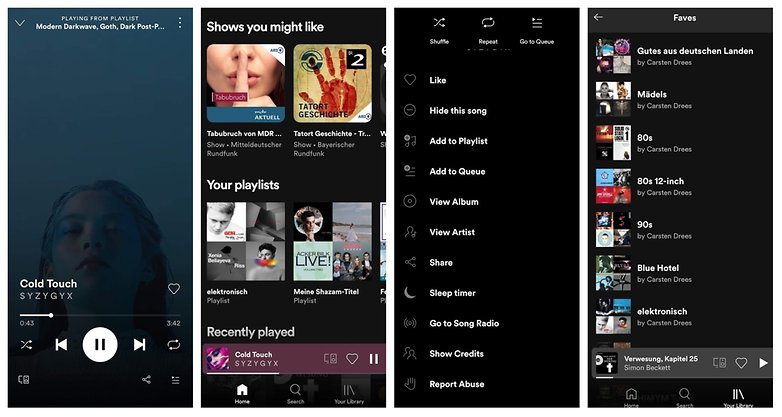
Les clients Premium bénéficient de plus de 70 millions de chansons, livres audio/jeux et podcasts. En plus de vos propres listes de lecture, vous pourrez écouter des listes Spotify judicieusement élaborées ou des millions de listes de lecture crées par les autres utilisateurs. Vous pourrez également créer les listes de lectures de manière collaborative. L'application regorge de fonctions, offrant par exemple un mode privé et une minuterie pour s'endormir en musique. Cependant, elle pourrait être plus intuitive et la fonction de paroles doit être revue.
Spotify est compatible avec un large éventail d'appareils et propose plusieurs tarifs. Spotify Connect, le Bluetooth, Apple AirPlay, Chromecast, Alexa, Google Assistant; Spotify peut se connecter avec tout ce qui vous vient à l'esprit et est bien sûr également disponible pour iOS et Android.
A qui s'adresse Spotify?
Spotify est le parfait outil polyvalent pour trouver votre musique, que vous écoutiez du rap, de la dance, de l'indie, de la musique classique ou du dubstep. Il existe des abonnements avec des prix réduits pour les familles, les étudiants et les couples. Il convient donc à tous ceux qui souhaitent avoir accès à tout l'univers de la musique sur leur smartphone pour un prix raisonnable. Les chansons sont désormais également disponibles en 320 Kbit/s, mais les amateurs de Hi-Res ne sont pas (encore) servis. Spotify est également parfait pour les fans de podcasts grâce à sa très large gamme incluant beaucoup de créations originales.
Pour nous, Spotify est le meilleur choix car pour un peu moins de 10 euros, vous bénéficierez d'un catalogue important, de nombreuses fonctions et d'une très large disponibilité d'appareils compatibles en plus d'une sélection de podcasts inégalée.
- Télécharger Spotify pour Android depuis le Google Play Store
- Télécharger Spotify pour iOS depuis l'App Store d'Apple
Amazon Music
| Période d'essai gratuite de 30 jours |
Essayez Amazon Music |
| Pour
|
Contre
|
|
| Prix: | Amazon Premium coûte 9,99 euros par mois |
C'est ce que propose Amazon Music Unlimited
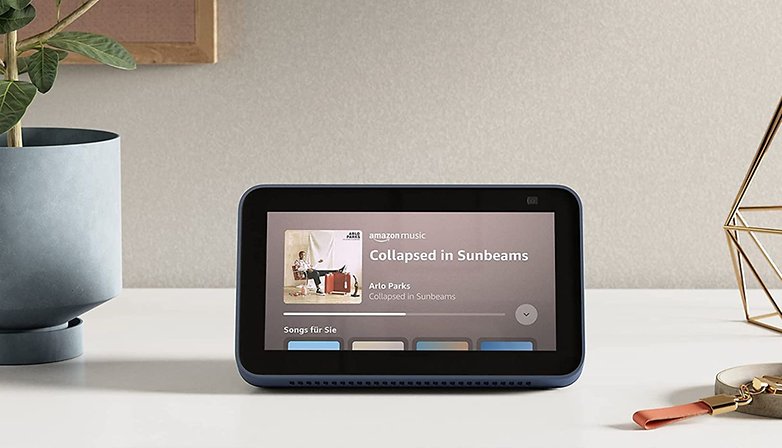
Amazon Music Unlimited coûte le même prix que Spotify, mais est en retrait en ce qui concerne le contenu exclusif tout en rattrapant son retard dans ce domaine également. Personnellement, je préfère l'application à celle de Spotify car elle affiche également de nombreuses paroles de chansons. De plus, les chansons HD jusqu'à 850 Kbit/s (16 bits/44,1 kHz) sont incluses dans le tarif normal et il y a même 7 millions de chansons disponibles en "Ultra-HD" (jusqu'à 24 bits/192 kHz). Amazon Music est également disponible sur de nombreux appareils, y compris les appareils de la gamme Echo incluant Alexa.
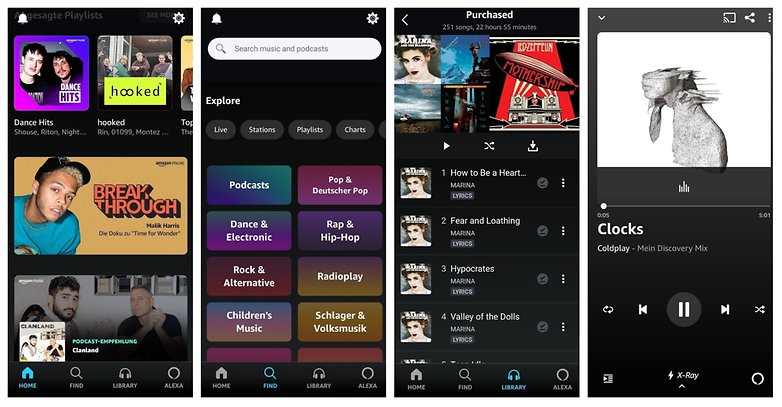
À qui s'adresse Amazon Music Unlimited?
Amazon est une bonne alternative à Spotify, surtout pour ceux qui sont déjà clients d'Amazon Prime. Ils pourront utiliser Amazon Music, qui comprend environ deux millions de chansons, sans frais supplémentaires. Par ailleurs, les clients Prime pourront obtenir Amazon Prime Unlimited pour 8 euros par mois au lieu de 10. C'est encore plus avantageux si vous liez votre abonnement directement à un appareil Echo, vous ne pairez alors que 3,99 euros par mois.
- Télécharger Amazon Music Unlimited pour Android depuis le Google Play Store
- Télécharger Amazon Music Unlimited pour iOS depuis l'App Store d'Apple
Apple Music
| Période d'essai gratuite de 3 mois |
| Pour
|
Contre
|
|
| Prix: | Apple Music coûte 9,99 euros par mois. |
C'est ce que propose Apple Music
Apple propose différentes listes de lecture et des recommandations hebdomadaires basées sur ce que vous écoutez. Cependant, je préfère l'algorithme de recommandation de certains concurrents. Un autre avantage est la station de radio exclusive Beats 1, qui propose de la musique 24 heures sur 24 avec des DJs célèbres. Il y a également de nombreuses listes classées et des paroles de chansons en temps réel.
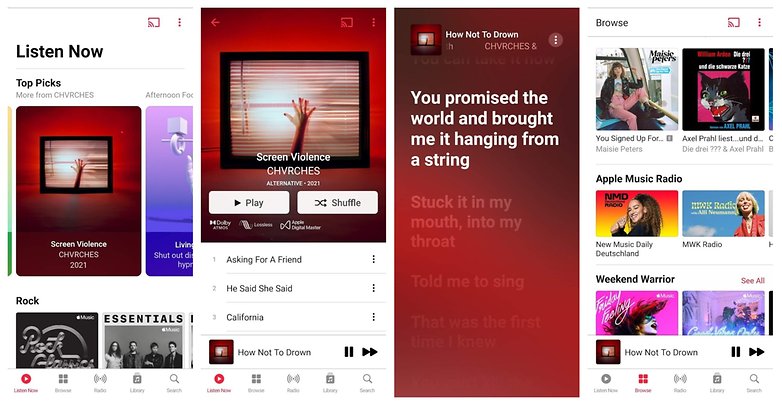
Avec plus de 70 millions de chansons, vous tomberez de temps en temps sur du contenu exclusif d'Apple, et vous pouvez également accéder aux chansons que vous avez achetées dans l'application. Apple est récemment passé à la qualité Lossless, ce qui permet d'obtenir une qualité sonore très élevée et également un son 3D avec Dolby Atmos.
À qui s'adresse Apple Music?
Si vous aimez écouter la radio et les événements en live, et que vous vous sentez à l'aise dans l'écosystème Apple, vous pourrez choisir Apple Music sans hésiter. Soit dit en passant, Apple rémunère mieux les artistes que son concurrent suédois.
- Télécharger Apple Music pour Android depuis le Google Play Store
- Télécharger Apple Music pour iOS depuis l'App Store d'Apple
Deezer
| Période d'essai gratuite de 3 mois |
Essayez Deezer |
| Pour
|
Contre
|
|
| Prix: | Deezer Premium coûte 9,99 euros par mois |
Ce que propose Deezer
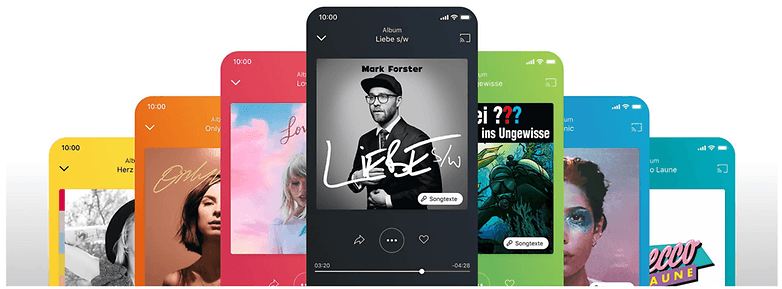
J'ai toujours l'impression que Deezer est un peu sous-estimé. Mais l'application française, qui compte aujourd'hui 73 millions de chansons, maîtrise à peu près tout ce que ses concurrents savent faire. Il est possible d'écouter sa musique en streaming via Deezer sur n'importe quel appareil, l'application offre une excellente fonction de recommandation avec Flow et il est possible d'écouter des radios, afficher les paroles des chansons, organiser les chansons en listes de lecture (même de façon collaborative), créer des collections de musique et écouter la musique hors ligne. Pour les audiophiles, il existe un abonnement Hi-Fi.
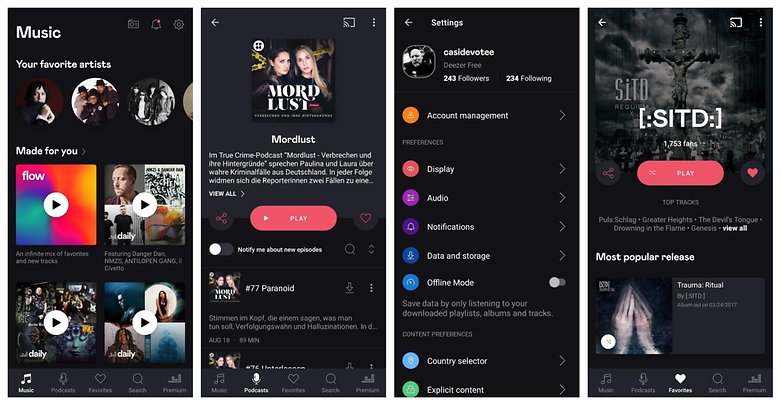
À qui s'adresse Deezer?
Pour faire court, l'application conviendra en fait à quiconque souhaite écouter de la musique en streaming. Il n'y a pas de podcasts exclusifs et vous devrez vivre avec le fait qu'il y a certaines limitations (par exemple, seulement 2 000 chansons par liste de lecture et 1 000 albums).
- Télécharger Deezer pour Android depuis le Google Play Store
- Télécharger Deezer pour iOS depuis l'App Store d'Apple
Tidal
| Période d'essai gratuite de 30 jours |
Essayez Tidal |
| Pour
|
Contre
|
|
| Prix: | Tidal Premium coûte 9,99 euros par mois |
Ce que propose Tidal
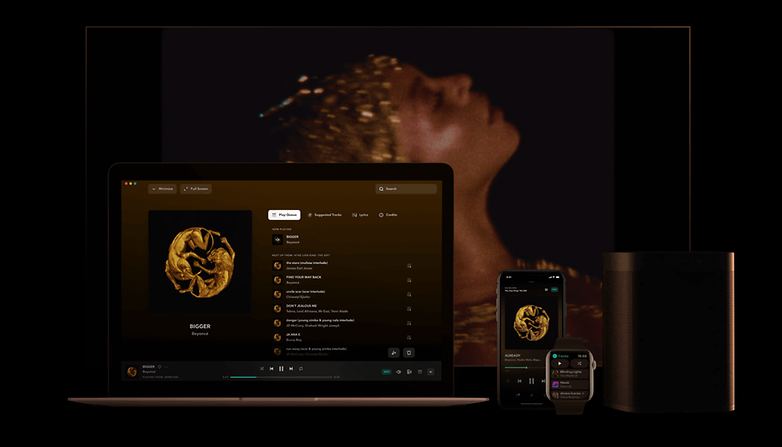
Tidal est considéré comme favorable aux artistes et verse des redevances parmi les plus élevées aux créateurs. Il existe un certain contenu exclusif, et Tidal propose également des concerts et des vidéos en live.
Petit plus: Pour 2 euros seulement, vous pourrez actuellement prolonger la période d'essai à deux mois. Gardez un œil sur les réseaux sociaux, car de temps en temps, il y a des offres pour prolonger la période d'essai jusqu'à trois mois.
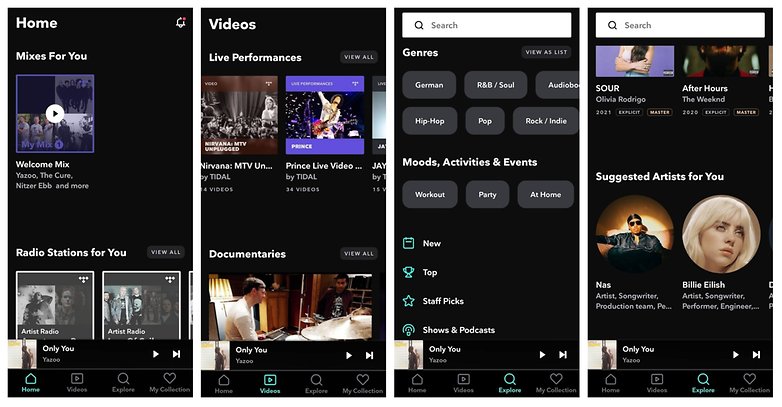
À qui s'adresse Tidal?
Pour la musique, Tidal offre un débit allant jusqu'à 320 Kbit/s en AAC, ou 1 411 Kbit/s avec l'abonnement Hi-Fi. Tidal convient donc aux amateurs de musique qui sont prêts à payer 20 euros pour une meilleure qualité. Les fans de rap ou de RnB américain seront également mieux servis que les fans de pop.
- Télécharger Tidal pour Android depuis le Google Play Store
- Télécharger Tidal pour iOS depuis l'App Store d'Apple
YouTube Music
| Période d'essai gratuite de 30 jours |
Essayez YouTube Music |
| Pour
|
Contre
|
|
| Prix: | YouTube Music Premium coûte 9,99 euros par mois |
Ce que propose YouTube Music
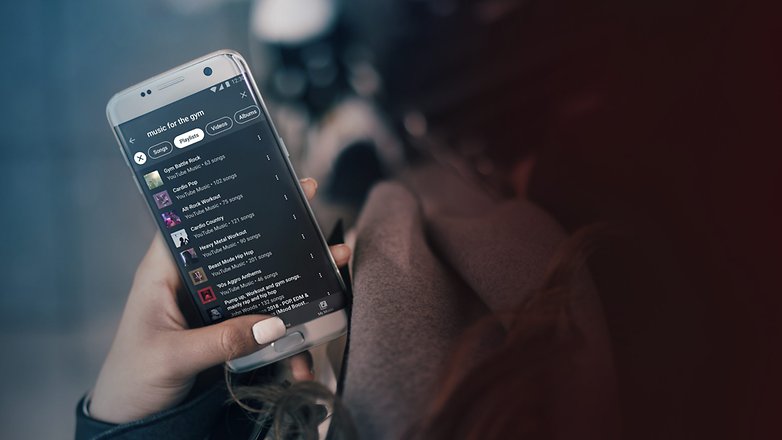
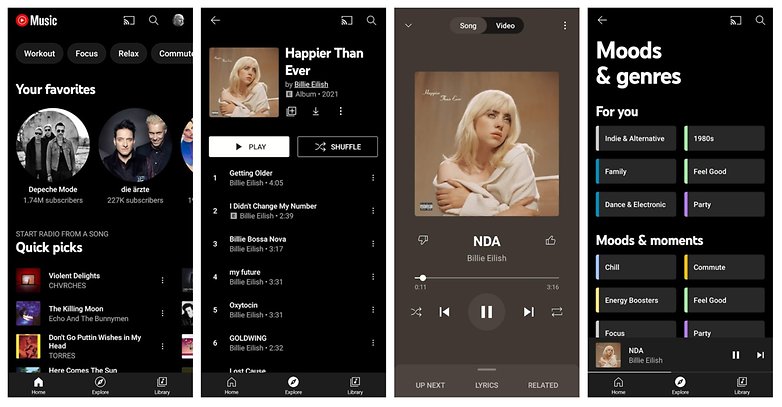
YouTube Music est également une alternative sérieuse à Spotify. L'avantage de YouTube Music est le catalogue infiniment grand de vidéos et la possibilité d'utiliser un abonnement qui inclut le YouTube "normal". Ainsi en payant l'abonnement à 10 euros vous n'aurez que la version musicale tandis que pour 12 euros, vous obtiendrez YouTube Premium, qui comprend YouTube Music Premium. Outre la musique, on y trouve également des vidéos musicales, des concerts et bien d'autres choses encore.
Vous pourrez télécharger vos propres chansons dans le navigateur, mais avec YouTube Music Premium, vous devrez vous contenter d'un débit de 256 Kbit/s (dans la version gratuite avec publicité le débit est de 128 Kbit/s).
À qui s'adresse YouTube Music?
Le lien étroit avec YouTube permet de se repérer plus facilement dans l'application YouTube Music, mais surtout, vos listes de lecture et vos recommandations seront transférées vers l'application musicale. Ainsi, en vous inscrivant sur YouTube Music, vous aurez accès à un algorithme déjà très bien adapté à vos besoins. YouTube Music est donc parfait pour tous ceux qui ont déjà beaucoup utilisé YouTube par le passé.
- Télécharger YouTube Music pour Android depuis le Google Play Store
- Télécharger YouTube Music pour iOS depuis l'App Store d'Apple
Napster

| Période d'essai gratuite de 30 jours |
Essayez Napster |
| Pour
|
Contre
|
|
| Prix: | Napster + Mobile coûte 9,95 euros par mois |
Ce que propose Napster
Avec ses 60 millions de chansons, Napster offre environ 10 à 15 millions de titres de moins que ses concurrents. Sinon, l'application offre à peu près tout ce qu'on trouve ailleurs. Il est possible d'écouter des listes de lecture ou des stations de radio en fonction des humeurs et des genres et vous pourrez facilement découvrir davantage de ce que vous aimez écouter.
Cependant, à mon avis, l'application est un peu confuse. Tout est facilement accessible, mais la structure pourrait être améliorée. D'un autre côté, il y a une grande fonctionnalité que presque aucune autre application ne propose: Il existe un convertisseur qui permet d'importer ses listes de lecture Deezer ou Spotify vers Napster. Autre gros avantage: Napster rémunère mieux les artistes que ses concurrents!
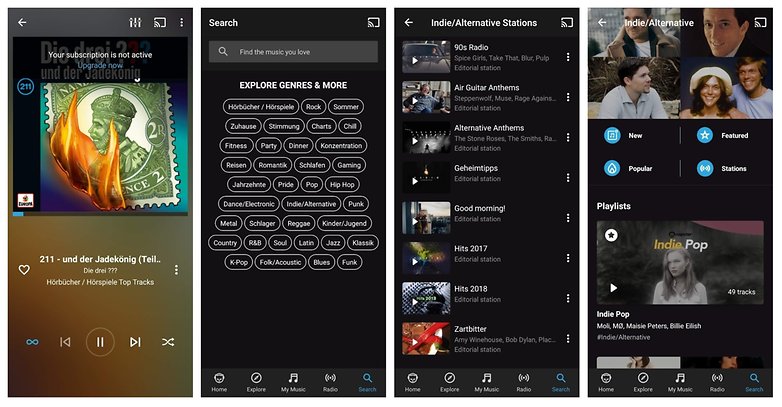
De plus, Napster est également disponible pour les entreprises. Cela signifie qu'il est possible d'obtenir une licence Napster pour l'utiliser avec sa marque. Vous connaissez peut-être vous-même un exemple frappant, car le service de streaming d'ALDI, ALDI Life Musik (et en Autriche Hofer), n'est en fait pas différent de ces dérivés de Napster.
À qui s'adresse Napster?
Napster est un peu moins riche en termes de chansons et de fonctionnalités, mais rémunère mieux les musiciens que les autres applications. L'application sera donc le bon choix pour ceux qui aiment soutenir les artistes. Vous pourrez également économiser de l'argent en utilisant le tarif presque identique de 8 euros d'ALDI au lieu de Napster.
- Télécharger Napster pour Android depuis le Google Play Store
- Télécharger Napster pour iOS depuis l'App Store d'Apple
Qobuz
| Période d'essai gratuite de 30 jours |
Essayez Qobuz |
| Pour
|
Contra
|
|
| Prix: | Studio Premier coûte 19,99 euros par mois |
C'est ce que propose Qobuz
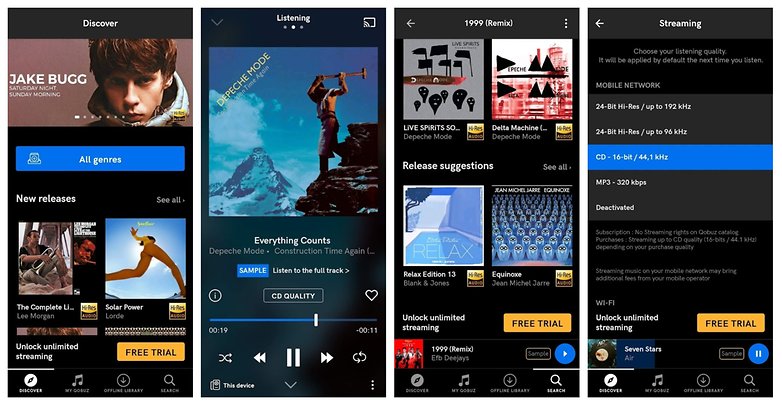
Enfin, j'ai inclus dans cette sélection, Qobuz, une application de streaming plutôt exotique dont n'avez peut être jamais entendu parler. Il s'agit d'une application offrant la musique en haute qualité, qui n'est pas seulement liée à celle des chansons. Comme Tidal et d'autres applications de streaming, Qobuz propose également des titres en qualité studio. En général, les plus de 70 millions de chansons sont en qualité CD (16 bits, 44,1 kHz), et il y a deux millions de chansons Hi-Res (24 bits, jusqu'à 192 kHz).
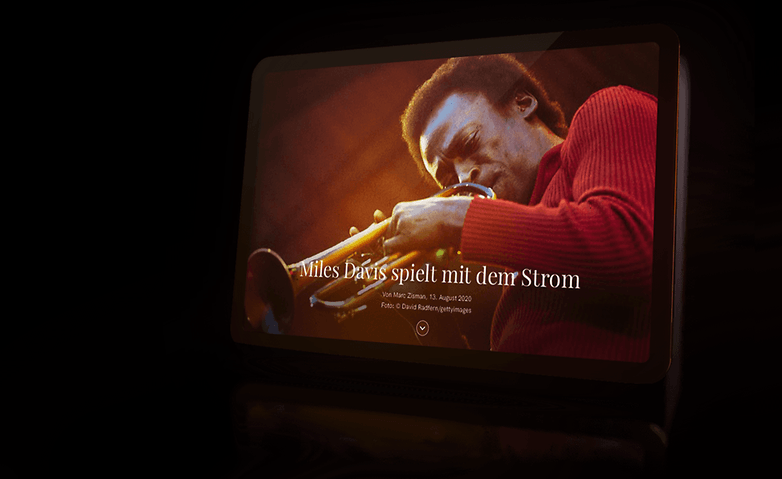
En outre et c'est là que Qobuz se distingue de la concurrence: l'application propose des contributions éditoriales sous la forme d'un magazine musical. Vous y trouverez des interviews de groupes, des articles détaillés sur des artistes ou des labels, des discographies, des critiques d'albums et même des tests de systèmes Hi-Fi de haute qualité. Vous pourrez également directement acheter des téléchargements sur Qobuz.
À qui s'adresse Qobuz?
Qobuz s'adresse clairement aux audiophiles! L'abonnement coûte plus cher et l'application est dépourvue de certaines fonctionnalités pratiques, mais en contrepartie, vous bénéficierez non seulement du meilleur son disponible, mais aussi d'un magazine musical et de nombreux reportages panoramiques réalisés par une équipe de rédaction musicale dédiée. En outre, vous trouverez des informations sur tous les albums, les groupes et vous aurez la possibilité d'acheter directement de la musique. Sur le site, vous trouverez des noms connus comme Dynaudio, KEF, Bang & Olufsen, Yamaha et bien d'autres qui bénéficient d'un support direct de Qobuz.
- Télécharger Qobuz pour Android depuis le Google Play Store
- Télécharger Qobuz pour iOS depuis l'App Store d'Apple
Conseil:
Vous avez décidé d'utiliser l'une de ces applications de streaming mais vous ne disposez pas de l'équipement audio nécessaire? Jetez un œil à notre guide d'achat des meilleurs écouteurs true wireless avec ANC.
Voilà donc les meilleures applications de streaming musical selon NextPit. Nous sommes sûrs que vous connaissez une ou deux autres applications que nous n'avons pas inclus dans notre liste. Dans ce cas, n'hésitez pas à les partager avec nous dans les commentaires et à nous dire en quoi elles valent la peine. Dites-nous également quelles sont vos habitudes en matière de streaming musical. Où et comment écoutez-vous de la musique et quel est votre application préférée?











Du n'importe quoi cet article...encore des tarifs non actualisés pour le service Français Qobuz...comme par hasard... ça commence à être bizarre ce parti pris... toujours le même angle d'analyse alors qu'en fait Spotify ou deezer ou Tidal sont insupportables à utiliser pour rechercher des titres ou albums spécifiques...sans parler d'absence de tout contenu éditorial...
-
Admin
-
Staff
17 sept. 2021 Lien du commentaireBonjour, merci pour tes précisions.
Je ne suis pas l'auteur de cet article, mais j'ai informé la personne concernée en lui précisant tes remarques. L'article sera mis à jour prochainement.
Pour ce qui est du contenu éditorial, c'est vrai que ces articles n'ont pas de grande valeur ajoutée journalistiquement.
C'est un listicle quoi. Mais c'est le format qui veut ça aussi, d'une certaine façon. Quand je lis un comparatif de smartphones, je ne m'intéresse pas aux figures de style ou autres tournures de l'auteur. Non, je scroll à travers l'article et je lis en diagonale.
En tout cas j'ai fait remonter tes observations.
Vince, je suis utilisateur de Deezer depuis plusieurs années, je ne connais pas du tout Qobuz, quand tu parles de contenu éditorial qu'est-ce que tu veux dire exactement ?
bonjour a tous il ya une application android qui sappelle streamingonline sur playstore qui vous permet decouter toute votre musique en audio et video , en plus cest gratuit
J'aimerais bien switcher sur une appli avec un son lossless mais 20€/mois ça reste encore cher et c'est vrai que la suggestion personnalisé de Spotify est un vrai plus.
Peut-être que si Spotify passait en HD à 15 ou 20 € /mois je sauterais le pas.
Je trouve déjà la qualité vraiment pas mal avec du bon matos. Meilleure que sur Deezer du moins.
Je reste fidèle à Google Play Music depuis des années pour deux raisons principales :
- La gestion de la bibliothèque, qui permet d'avoir tous ses artistes et albums bien rangés, avec la possibilité de supprimer des titres (les bonus tracks que j'écoute très rarement) ou de modifier les tags (rien de plus énervant que de voir un "remaster" ou un "live" collé au titre de l'album et de chaque pistes. D'autant plus que ça fout le bordel dans les stats si on est inscrit sur last.fm
- La possibilité d'ajouter soi-même les titres manquants. Des artistes comme Peter Gabriel, Porcupine Tree, la plupart des groupes japonais et j'en passe n'ont que quelques albums (voire aucun) sur les plates formes de streaming. Donc, la possibilité de rajouter ses albums, après extraction du cd ou achat sur le Play Store (qui ensuite va intégrer parfaitement l'album acheté) est un véritable plus.
Une fois j'ai essayé de retourner sur Spotify, ça n'a pas duré longtemps.
J'utilise Apple music (parce que l'essai gratuit, hein) et je suis vraiment pas fan, c'est beaucoup moins intuitif que Spotify, Deezer ou même play music. Et en plus, Apple a "bâclé" l'application, il y a pas mal de bugs (pour ajouter à la bibliothèque, télécharger, faire des playlists, les morceaux de changent à 1seconde avant la fin et sont longs à charger (quand ça passe pas au titre suivant...)) enfin bref c'est loin d'être la meilleure, mais du plus ou moins gratuit chez Apple c'est rare 😌